Part ofWhat Is Claude Code? The Complete Guide
In This Article
7 sectionsQuick answer
Claude vs Cline compared: Claude Code is a fast, Claude-native terminal agent; Cline is a free, open-source VS Code extension for any model. Which to pick.
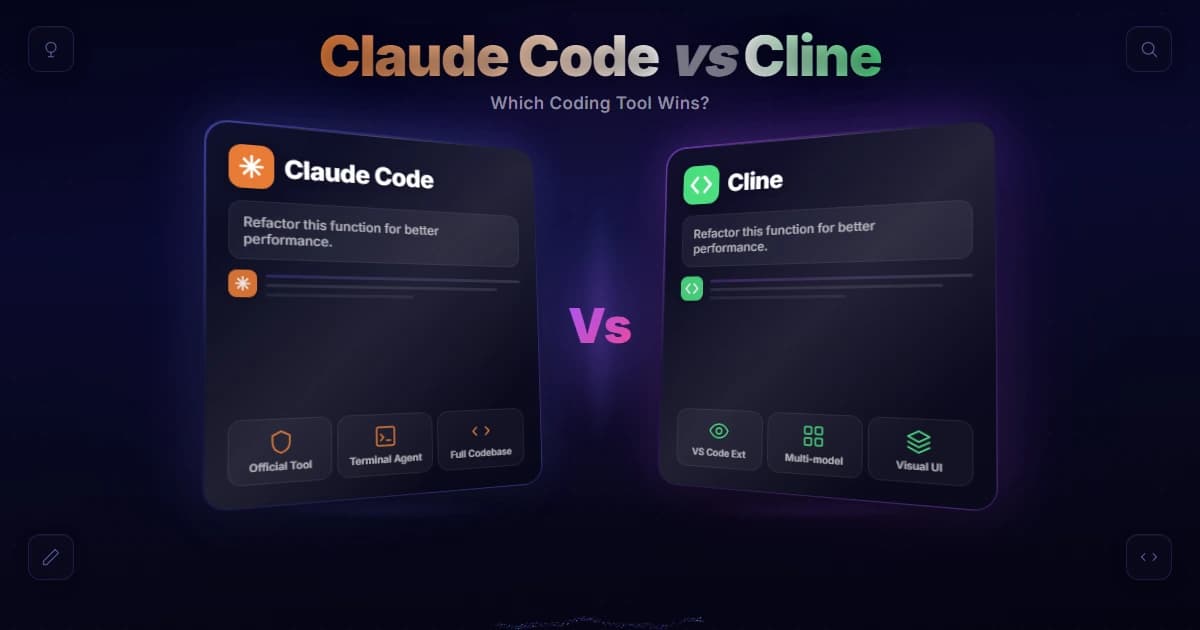
Claude vs Cline comes down to a trade-off: Claude Code is Anthropic's fast, Claude-native terminal agent that runs autonomously and needs a Claude plan, while Cline is a free, open-source VS Code extension that works with any AI model and asks for approval before each action. Pick Claude Code for speed and polish; pick Cline for control, flexibility, and a $0 tool cost.
Model lineup and pricing verified 31 July 2026 against the Anthropic models overview.
Both are agentic coding tools — they read your codebase, write code, run commands, and fix things — but they sit at opposite ends of the spectrum. The confusing part is that Cline can actually run Claude models under the hood, so "Claude vs Cline" isn't really Claude versus a rival model; it's two different ways of working with an AI agent. This guide breaks down Claude vs Cline across the dimensions that decide which one fits your workflow.
Key takeaway
Claude Code is Anthropic's fast, Claude-native terminal agent that acts autonomously and needs a plan from $20/month, while Cline is a free, open-source (Apache 2.0) VS Code extension that runs any model and asks for approval before each action.
Claude vs Cline: the quick verdict
Claude Code is a proprietary, Claude-only terminal agent that acts autonomously and needs a $20/month plan. Cline is a free Apache-2.0 VS Code extension that runs any model and asks you to approve each step first.
| Dimension | Claude Code | Cline |
|---|---|---|
| What it is | Standalone terminal agent by Anthropic | Open-source VS Code extension |
| Models | Claude-native (Anthropic models) | Any — Claude, GPT, Gemini, local, OpenAI-compatible |
| Default style | Autonomous: acts, you review the diff | Cautious: approves each action first |
| Speed | Faster — more edits per minute | Slower by design (approval steps) |
| Integration | Separate terminal, no IDE UI | Inside VS Code, JetBrains, Cursor, Zed, more |
| Cost | Claude plan from $20/mo (or API) | Free tool; you pay only for API usage |
| License | Proprietary (Anthropic) | Open source (Apache 2.0) |
That table is the whole Claude vs Cline decision in miniature — the sections below explain each row so you can weigh what matters to you.
What is Cline, and what is Claude Code?
Claude Code is Anthropic's terminal-based agentic CLI, launched with the claude command and tuned end to end for Anthropic's own models. Cline is an open-source editor extension that connects to whichever model provider you supply an API key for.
Claude Code is Anthropic's own agentic CLI. You start it by running claude in your terminal, it's tuned specifically for Claude, and it defaults to doing the work and letting you review the result. It's fast and polished, and it's a paid product tied to a Claude plan.
Cline is an open-source extension that lives inside your editor. Instead of being tied to one model, it connects to whatever provider you give it an API key for — Claude, OpenAI, Gemini, local models, or anything OpenAI-compatible. It shows its work step by step and waits for your go-ahead. Because it's just an extension, the tool itself is free; you only pay the model provider. That single difference — bring-your-own-model — is the heart of the Claude vs Cline question.

Model flexibility: one model or many
Cline is model-agnostic: route hard reasoning to Claude, routine edits to a cheaper model, and sensitive work to a local one. Claude Code runs Anthropic models only, but is tuned end to end for them.
This is Cline's biggest advantage. Cline is model-agnostic: swap between Claude for hard reasoning, a cheaper model for routine edits, or a local model for privacy — all in the same tool. Claude Code, by contrast, is Claude-native and optimized end to end for Anthropic's models, such as Opus 5, Sonnet 5, and Haiku 4.5.
If you want the freedom to route different tasks to different models (or avoid vendor lock-in entirely), Cline wins this round. If you're all-in on Claude and want the tightest possible integration with it, Claude Code's single-model focus is a feature, not a limitation. Worth noting: because Cline can run Claude, you can get Claude's quality inside Cline's interface — see our guide on using Claude with OpenRouter for the bring-your-own-key pattern Cline relies on.
Control versus autonomy
Cline shows every proposed action as a diff and waits for your click before running it. Claude Code completes the task first and hands you the finished diff to review. Oversight versus flow — pick by temperament.
The deepest philosophical split between the two tools is how much they ask before acting:
- Cline shows you every proposed action and waits for approval before running it. You see each change as a syntax-highlighted diff in your editor and click to approve. Maximum transparency and control.
- Claude Code executes the task and presents the result, so you review the finished diff rather than each step. Maximum speed and flow.
Neither is objectively better — it's about trust and temperament. If you want to watch and approve every move (common on production code or when you're learning the tool), Cline's approach fits. If you'd rather delegate and review at the end, Claude Code's autonomy is the point. This is the row of the Claude vs Cline comparison people feel most strongly about.
We run Claude Code every day to build this site, and the review-the-diff-at-the-end rhythm is what makes the autonomy pay off rather than feel reckless. In practice the discipline that keeps it safe is front-loading the intent — planning the change before letting the agent act — so the final diff is something we can read and trust in one pass instead of babysitting each edit. That is the half of this Claude vs Cline trade-off we can vouch for directly; whether Cline's step-by-step approval suits you comes down to how much you want to watch the work happen.
Speed, integration, and pricing
Claude Code makes more edits per minute because it never pauses for approval, but it lives in a separate terminal window. Cline is slower, sits inside VS Code and JetBrains, and costs nothing beyond the tokens you burn.
Speed. Claude Code is measurably faster — it makes more edits per minute because it isn't stopping for approval at each step. Cline trades that speed for oversight.
Integration. Cline runs inside your IDE — VS Code, JetBrains, Cursor, Windsurf, Zed, Neovim — with diffs, the file tree, and terminal right there. Claude Code runs in a separate terminal window with no editor UI, though it pairs with editors through other means (see Claude Code in VS Code).
Pricing. Cline the extension is free under Apache 2.0; your only cost is the API inference you consume through your own keys — Claude models run from $1/$5 per million tokens on Haiku 4.5 up to $5/$25 on Opus 5 — which can be cheaper or pricier than a subscription depending on usage. Claude Code needs a Claude plan starting at $20/month (or API credits). For heavy users a flat subscription is often cheaper; for light or bursty use, Cline's pay-per-token can win.

Which tool fits which developer
Beginners and cautious teams usually prefer Cline's approve-each-step diffs and zero tool cost. Developers shipping fast, or standardised on Anthropic models, usually prefer Claude Code's autonomy and its predictable flat-rate subscription.
Where you land in the Claude vs Cline choice often depends on who you are:
- Beginners tend to prefer Cline's approve-each-step flow — seeing every change as a diff before it runs is a great way to learn what an agent is actually doing, and the free tool keeps the barrier low.
- Experienced developers shipping fast often prefer Claude Code's autonomy; once you trust an agent, stopping to approve every edit becomes friction, and Claude Code's speed compounds over a long session.
- Privacy- or cost-sensitive teams lean toward Cline, because bring-your-own-model lets you route to local or cheaper models and keep data on your own terms.
- Teams standardized on Claude lean toward Claude Code for the tightest first-party integration and predictable subscription pricing.
None of these are hard rules — plenty of fast developers love Cline's control, and plenty of beginners happily run Claude Code. But mapping the Claude vs Cline trade-offs onto your own priorities is the quickest way to a confident pick.
Claude vs Cline: which should you use?
Choose Claude Code for maximum speed, autonomy, and first-party polish on Anthropic models. Choose Cline to stay in your editor, approve each step, swap models freely, and keep the tool itself free and open source.
There's no universal winner in Claude vs Cline — there's a winner for you:
- Choose Claude Code if you want the fastest, most autonomous experience, you're committed to Claude, and you value a polished first-party tool. It's ideal for shipping quickly and reviewing at the end.
- Choose Cline if you want to stay inside your IDE, approve each step, use multiple models (or local ones), and keep the tool itself free and open source.
Many developers even run both: Claude Code for fast, autonomous sessions, and Cline when they want tight, in-editor control over a sensitive change. If you're also weighing other agents, our Cursor vs Claude Code and Codex vs Claude Code comparisons round out the picture, and our full Claude comparison weighs every rival side by side. You can explore Cline itself on the official Cline site, and the Claude side in the Claude Code documentation.
Frequently Asked Questions

Written by
Edith
Writing about Claude and the Anthropic toolkit — models, Claude Code, pricing, features, and fixes, in clear, practical, hands-on guides tested by daily use.
View all posts →