Part ofWhat Is Claude Code? The Complete Guide
In This Article
8 sectionsQuick answer
Cursor is IDE-first — you drive, AI assists. Claude Code is agent-first — you direct, AI drives. Feature table, pricing, and when to use which (or both).
The real difference in the Cursor vs Claude Code choice is control: Cursor is IDE-first — you drive and the AI assists with completions and edits you approve inline. Claude Code is agent-first — you describe the goal, the AI plans and executes across your codebase, and you review the result.
Model line-up, context window, and plan pricing verified 31 July 2026 against Anthropic's model overview.
Both are excellent; they optimize for different workflows, and many professionals now run both. Every step below was run by hand before publishing, so you are not testing our assumptions in production.
Key takeaway
In the Cursor vs Claude Code choice, both start at $20/month, but blind reviewers rated Claude Code's output cleaner and more idiomatic in 67% of cases versus 25% for Cursor — the real divide is Cursor's IDE-first assistance against Claude Code's agent-first delegation.
Two tools, two philosophies
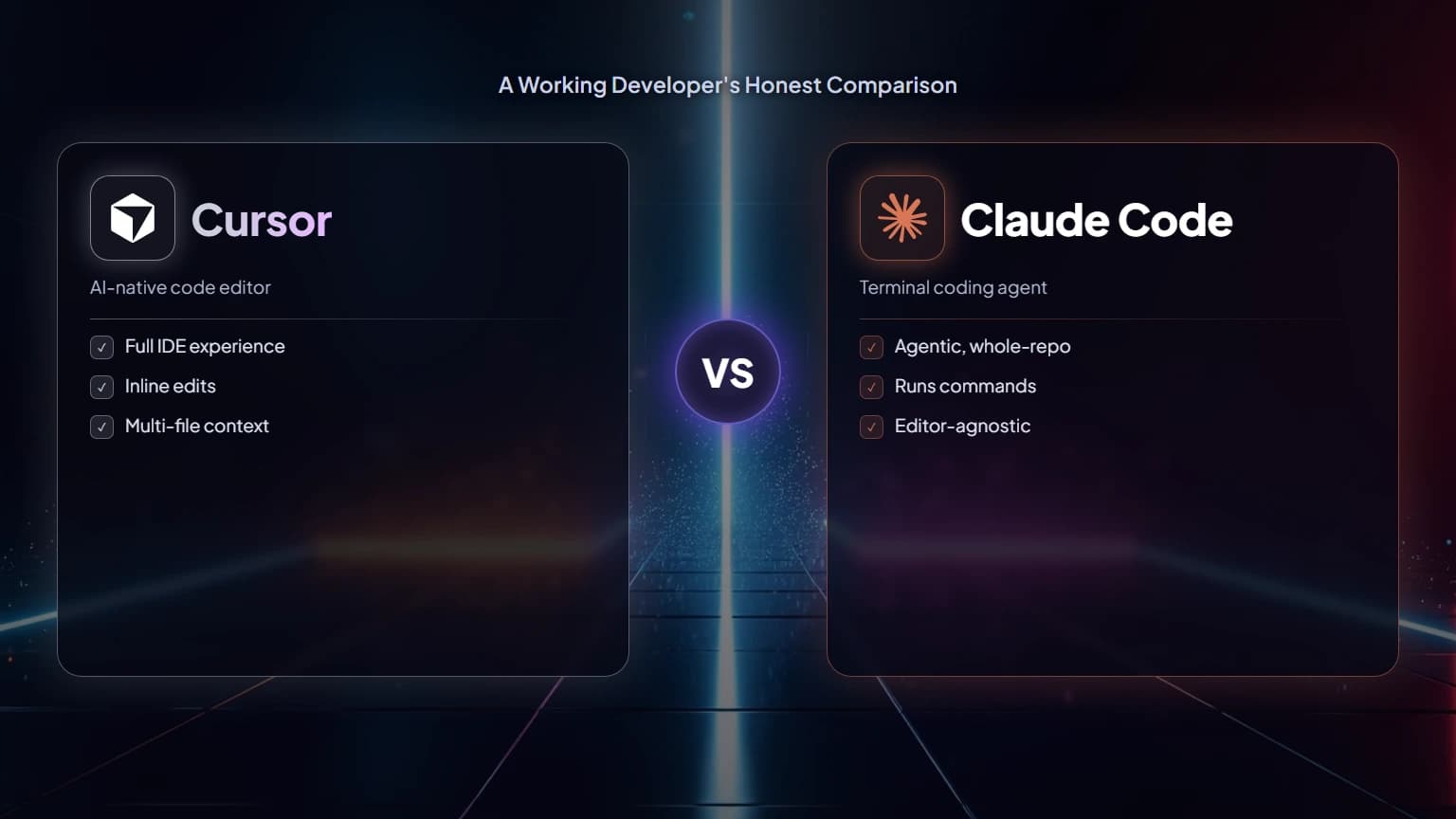
Cursor wraps VS Code and threads AI through every keystroke, so you drive and approve each edit. Claude Code reads the whole repo, plans, executes, and runs your tests, so you set the goal and review the outcome.
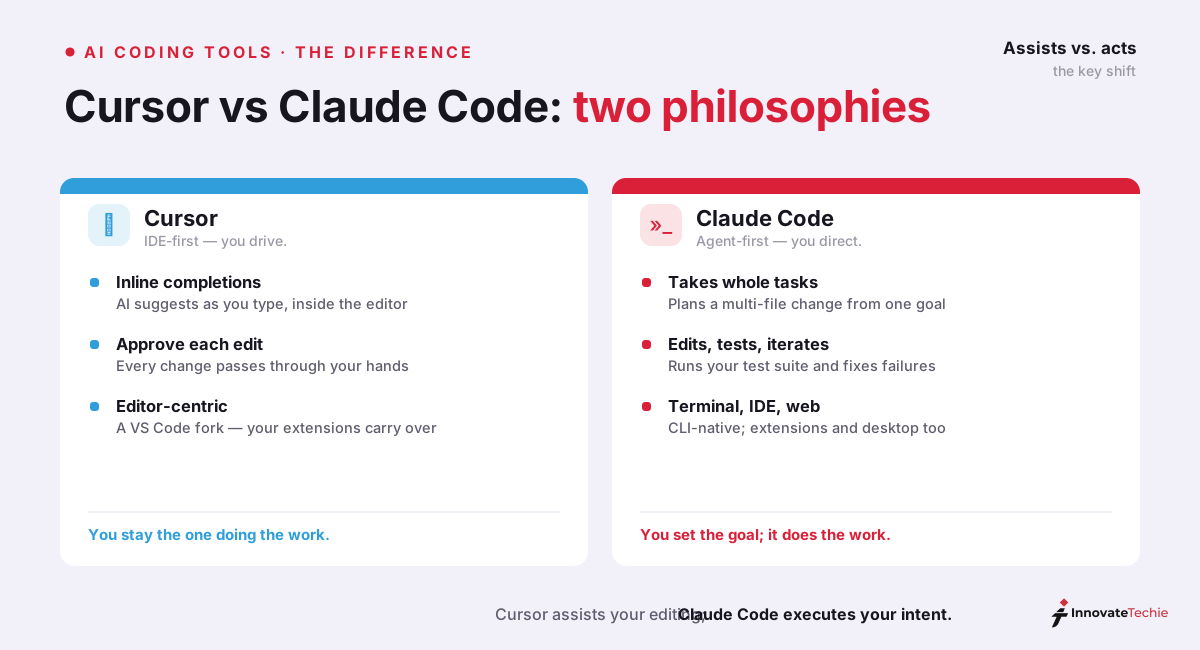
Cursor wraps VS Code and threads AI through the entire editing experience: tab completions, inline edits, a chat panel that sees your open files. You stay in the driver's seat; the AI makes you faster at each keystroke-level decision.
Claude Code starts from the opposite end. It reads your whole codebase, plans an approach across multiple files, executes the changes, runs your tests, and iterates on failures. You define the goal and review the outcome rather than guiding each step.
That framing used to be the whole story — but the tools are converging. Cursor shipped a CLI in January 2026 with agent modes and cloud handoff; Claude Code now runs in VS Code and JetBrains, has a desktop app, and works in the browser. In the Cursor vs Claude Code decision the defaults still differ, and defaults shape how you actually work.

Cursor vs Claude Code: head-to-head comparison
Both start at $20 a month. The editor gives inline completions and per-edit approval across several model vendors; the agent gives whole-task delegation on Anthropic's own line-up, with a 1M-token window on recent models.
| Cursor | Claude Code | |
|---|---|---|
| Core model of work | You drive, AI assists | You direct, AI drives |
| Lives in | Its own editor (VS Code fork) + CLI | Terminal, VS Code, JetBrains, desktop, web |
| Best interaction | Inline completions, approve-each-edit | Whole-task delegation, plan → execute → review |
| Models | GPT, Claude, Gemini and others (bring your pick) | Claude models (Opus, Sonnet, Haiku) |
| Multi-agent | Background agents, cloud handoff | Agent teams with shared task lists and messaging |
| Context | Open files + indexed workspace | Full project; 1M-token context on recent Claude models |
| Price of entry | Free tier; Pro ~$20/mo | Claude Pro $20/mo or Max $100–200/mo; or pay-per-token API |
| Code quality (blind review) | Rated cleaner 25% of cases | Rated cleaner and more idiomatic 67% of cases (8% tied) |
Two numbers deserve context in this Cursor vs Claude Code table. The blind-review result (67% vs 25%) favors Claude Code's output style — reviewers found it cleaner and more idiomatic — but output quality between top tools is close enough that how clearly you specify the task matters more than which tool executes it. And on cost: per-task API costs can swing wildly by how each tool manages context; on subscription plans the comparison is simply $20 vs $20 at the entry tier.
Pricing: what each actually costs
Entry cost is the same $20 either way. The shapes differ: inline completions bill steadily, while delegated agent runs are spiky and push heavy users toward Max at $100 or $200 a month.
The sticker prices are nearly identical, but the shapes of the plans differ:
| Cursor | Claude Code | |
|---|---|---|
| Free option | Hobby tier — limited completions (enough to evaluate, not to work) | None (API trial credits only) |
| Entry price | Pro ~$20/month, generous inline usage | Claude Pro $20/month, bounded by 5-hour session windows |
| Power-user tier | Business plans | Max 5x $100/mo · Max 20x $200/mo |
| Pay-per-token option | Bring your own API keys for some models | Full API access, no subscription needed |
| Cost profile | Steady — inline completions are cheap | Spiky — delegated agent runs consume real compute |
The honest cost comparison in Cursor vs Claude Code: for an average developer, both cost $20/month. For a power user, Claude Code's ceiling is higher ($100–200 on Max) — because delegated agent runs simply consume more compute than inline completions. You're not paying more for the same thing; you're buying a different, heavier kind of work.
Can you use Claude Code in Cursor?
Yes. Claude Code is a terminal program, so it runs in Cursor's integrated terminal, and its official VS Code extension loads in Cursor too. Delegate the large change, then review the diff in the editor.
Yes — and this is the setup a lot of developers quietly land on. Claude Code is a terminal program, and Cursor has an integrated terminal, so running claude inside Cursor's terminal gives you both tools in one window:
- Open your project in Cursor.
- Open the integrated terminal and run Claude Code.
- Delegate the big task to Claude Code ("migrate these components to the new API").
- While it works, review its diffs in Cursor's editor — inline, with Cursor's own AI available for quick spot-fixes.
Claude Code also ships an official VS Code extension that works in Cursor (a VS Code fork), giving you its agent panel natively in the sidebar. The two tools don't fight over anything — one drives large changes, the other gives you a first-class review cockpit. Our walkthrough of running Claude Code in Cursor covers the terminal setup, the /terminal-setup fix, and whether two subscriptions are worth it.

When should you use Cursor vs Claude Code?
Reach for the editor when you need to slow down and understand every line. Reach for the agent when many files must move at once — refactors, migrations, test buildouts. Most professionals end up using both.
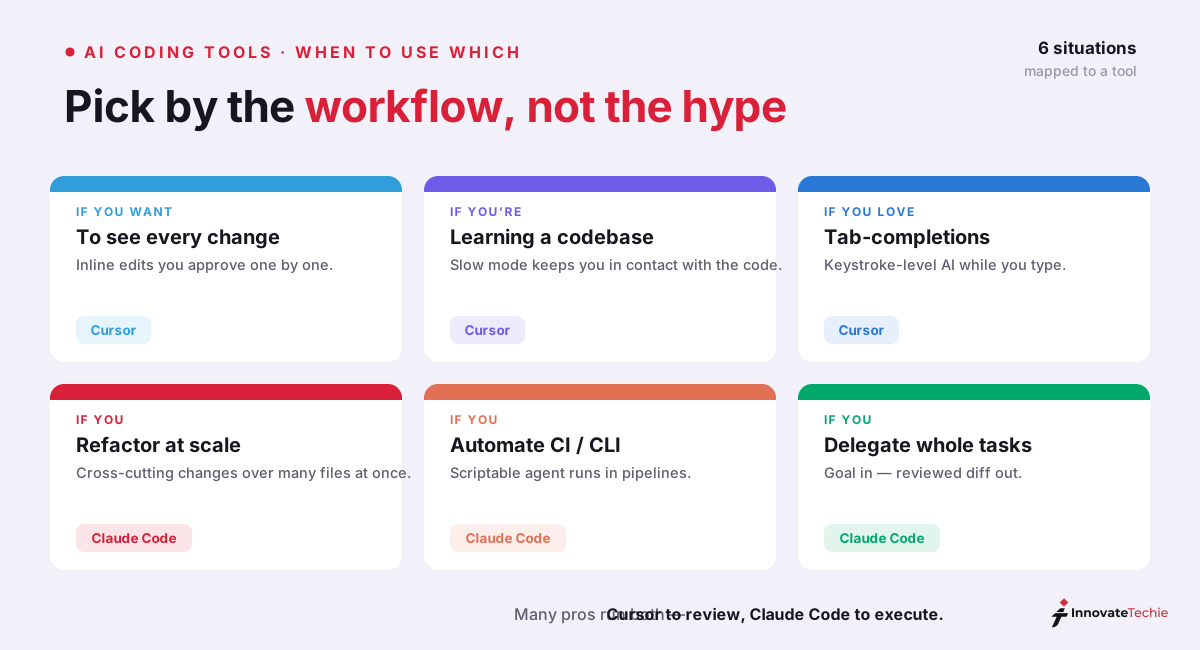
Cursor fits when you need to slow down and understand. Learning an unfamiliar codebase, making careful surgical changes, working in a language you're rusty in — the inline, approve-everything workflow keeps you in contact with every line.
Claude Code fits when many things must move at once. Cross-cutting refactors, test-suite buildouts, dependency migrations, CI automation — tasks you'd delegate to a capable colleague if you had one. Its model advantage compounds here: the same Sonnet-vs-Opus choice applies inside Claude Code, and you can switch mid-session.
The both-tools workflow is increasingly the pro setup, and it is where the Cursor vs Claude Code framing breaks down entirely: Claude Code executes the delegated task in the terminal; Cursor is where you read, verify, and polish the diff it produced. They're not mutually exclusive — they're two ends of the same pipeline.
We land on exactly this setup for this site. Claude Code runs the cross-cutting jobs — a dependency bump that ripples through the app, a test-suite buildout — from a native PowerShell terminal on Windows, and we read the diffs back in the editor before anything is committed. For us the Cursor vs Claude Code split resolves to a simple rhythm: we reach for Claude Code first on any change that touches more than two or three files, and keep the editor's inline AI for the small, surgical spot-fixes.
One more distinction worth knowing: Anthropic now points non-developers to Claude Cowork, which runs Claude Code's agentic engine on documents and spreadsheets instead of codebases. If your "coding" need is really office automation, that's the tool to evaluate first. And if you're weighing the whole Claude ecosystem against OpenAI's, our Claude vs ChatGPT comparison covers the assistant-level trade-offs.
Getting started with each
Cursor installs as an app and imports your existing VS Code setup, so try an inline explain-then-edit first. Claude Code needs Node.js 18+ and a Claude sign-in; ask it to explain your codebase before you delegate anything real.
Cursor: download the app from cursor.com, sign in, and open any project folder — it behaves exactly like VS Code with AI woven in. Your extensions, themes, and keybindings import automatically. First thing to try: highlight a function and ask the inline chat to explain it, then to modify it. Ten minutes in the editor teaches you the workflow better than any tutorial.
Claude Code: you'll need Node.js 18+, then install the CLI and run claude inside a project directory (or install the VS Code / JetBrains extension, or use the desktop app if the terminal isn't your habitat). Sign in with your Claude account. First thing to try: ask it to explain the codebase — watching it read and summarize your own project is the fastest way to calibrate what it can do. Then delegate one real, bounded task and review the diff.
Evaluate both against the same task on the same repo — a medium refactor you actually need — and the right default for you becomes obvious within an afternoon. If neither quite fits your hands, it's worth scanning the wider field of Claude Code alternatives — Aider, Copilot, Gemini CLI, and Cline all solve this problem from a different angle. Copilot in particular is a genuinely different shape of tool — an in-editor assistant rather than a terminal agent — and our Claude Code vs GitHub Copilot comparison unpacks that trade-off in full.
The honest bottom line
There is no wrong choice here, only a wrong match. Pick the editor if you want to see everything, the agent if you would rather delegate and review, and both if you genuinely do both kinds of work.
There is no wrong choice here — there's a wrong match. The Cursor vs Claude Code call comes down to your default working style, so pick by it:
- You want to see everything → Cursor
- You want to delegate and review → Claude Code
- You genuinely do both kinds of work → run both; they cost the same $20 to start
Whichever you choose, revisit the decision quarterly. The AI coding-tool landscape is moving faster than any developer tooling in memory, and today's accurate comparison is next quarter's stale take — it's why this page carries an update date and gets revised after major releases.
Claude pricing at a glance
Claude is free to start, $20 a month on Pro, and from $100 a month on Max, with API access billed per token. Claude Code needs at least Pro, or pay-per-token API access.
| Plan | Price |
|---|---|
| Free | $0 |
| Pro | $20 / month |
| Max | from $100 / month |
| API | Pay per token |
For the full breakdown of every plan, see our how much Claude costs guide, or Anthropic's own pricing page.
Weighing an open-source agent instead? Kilo Code vs Claude Code puts the transparency and model-choice trade-offs in one table.
Prefer a full AI editor to the terminal? Windsurf vs Claude Code weighs the IDE-versus-CLI shape, models, and the quota-versus-token pricing split.
Weighing a free, open-source in-editor option? Continue vs Claude Code covers the co-pilot-versus-autopilot split — and why Continue's repo is now read-only.
Prefer to hand off a whole ticket rather than pair in the editor? Claude Code vs Devin weighs the collaborative-terminal approach against a fully autonomous cloud agent, with an honest "run both" workflow.
Frequently Asked Questions

Written by
Edith
Writing about Claude and the Anthropic toolkit — models, Claude Code, pricing, features, and fixes, in clear, practical, hands-on guides tested by daily use.
View all posts →