In This Article
10 sectionsQuick answer
Claude Pro vs ChatGPT Plus compared: price, models, usage, Projects vs Custom GPTs, Artifacts, Claude Code, images, voice, and who each plan is best for.
Key takeaways
- Both plans cost about $20/month, so the decision is fit, not price: Claude Pro leads on writing, coding, and long-document work; ChatGPT Plus wins on images and voice.
- Claude Code is the clearest developer differentiator — a terminal agent that reads and edits your repo, with no first-party CLI equivalent in ChatGPT Plus.
- ChatGPT Plus generates images natively while Claude only analyzes uploads — a decisive gap for thumbnails, mockups, and social graphics.
- Projects vs Custom GPTs is a philosophical split: persistent context around your own files versus reusable, shareable assistant personas.
- Many power users simply run both at roughly $20 each, routing writing and code to Claude Pro and images and voice to ChatGPT Plus.
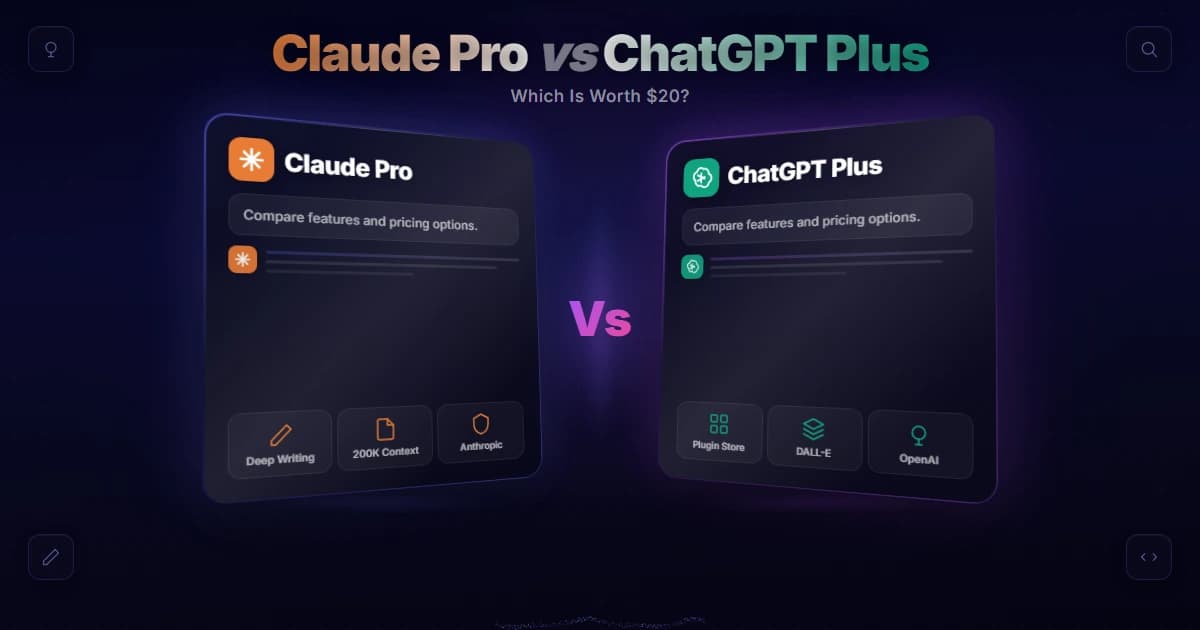
Claude Pro vs ChatGPT Plus comes down to what you actually do: both flagship individual plans cost about the same each month, but Claude Pro wins on writing, coding, and long-document work, while ChatGPT Plus wins on image generation, voice, and multimodal breadth. Pick the one that matches your daily tasks.
Model lineups verified 31 July 2026 against Anthropic models overview.
If you only have room in your budget for one AI subscription, the choice usually narrows to these two. Both are the "prosumer" tier from the two most recognizable labs, both sit at roughly the same monthly price, and both unlock more usage and better models than the free tiers. So the real question in the claude pro vs chatgpt plus debate isn't cost — it's fit. This guide walks through the differences that actually change your day-to-day experience, so you can decide with confidence.
Claude Pro currently spans the latest models like Claude Opus 5 and Claude Sonnet 5, and this guide is reviewed regularly so the comparison stays accurate. Because prices and per-plan limits shift over time, this article stays qualitative on specifics and points you to the official pages for exact numbers. Everything else — the feature philosophy, the strengths, and the tradeoffs — is stable enough to plan around, and you can usually tell which plan fits you in under 10 minutes of honest reflection on your own workload.
Key takeaway
Claude Pro and ChatGPT Plus both cost about $20/month, so the choice is fit, not price: Claude Pro (Opus 5, Sonnet 5) leads on writing, long-document work, and coding via the Claude Code terminal agent, while ChatGPT Plus wins on native image generation and voice — Claude does not generate images.
Claude Pro vs ChatGPT Plus at a glance
Both sit near $20 a month with comparable limits. Claude brings Projects, Artifacts, and the Claude Code terminal agent; ChatGPT brings Custom GPTs, Canvas, and native image generation. Voice and web search ship with both.
Here's the fast version before we go deep. Both plans are strong; they're just optimized for different work.
| Dimension | Claude Pro | ChatGPT Plus |
|---|---|---|
| Monthly price | ~$20 (see official pricing) | ~$20 (see official pricing) |
| Included models | Claude Sonnet, Opus, Haiku family | GPT-5 family + reasoning models |
| Usage limits | Higher than free; resets on a rolling window | Higher than free; message caps on top models |
| Organizing work | Projects | Custom GPTs + Projects |
| Interactive output | Artifacts | Canvas |
| Coding in the terminal | Claude Code (CLI) | No first-party CLI equivalent |
| Image generation | Not built in | Yes (built in) |
| Voice mode | Yes | Yes |
| Web search | Yes | Yes |
| Writing quality | A core strength | Strong |
| Best for | Writers, developers, analysts | Multimodal creators, generalists |
Now let's unpack what each row means in practice.
Price and models: nearly a tie
Price is effectively a wash, so the models decide it. Claude Pro spans the Haiku, Sonnet, and Opus tiers you switch between; ChatGPT Plus bundles OpenAI flagship and reasoning models. The difference is character, not raw capability.
On price, this is close to a wash. Both Claude Pro and ChatGPT Plus land at roughly the same monthly figure, so cost alone rarely decides it. If you want the exact current numbers, check the official Claude pricing page rather than any third-party chart, since these plans get updated. For a broader breakdown of what you pay across tiers, our guide on how much Claude costs and the overview of the Claude Pro plan go deeper.
Models are where the plans diverge in flavor. Claude Pro gives you the current Claude lineup — a fast, cheap model, a balanced everyday model, and a top-end reasoning model — and you can switch between them depending on the task. If you want help choosing, see our rundown of the best Claude model for different jobs. ChatGPT Plus similarly bundles OpenAI's flagship and reasoning-tuned models. Both give you access to genuinely capable frontier models; the difference is character. Claude models are known for steadier long-context reasoning and a more careful writing voice, while OpenAI's tend to be quick, broadly knowledgeable generalists.

How do the usage limits feel?
Neither plan holds a permanent edge; both throttle their heaviest models and reset on a window. What differs is feel: long document sessions run smoothly on Claude, while many short mixed-media requests feel roomier on ChatGPT.
Both paid plans raise your ceiling well above the free tiers, and both throttle the heaviest models to protect capacity. In the claude pro vs chatgpt plus matchup, the honest answer is that neither has a permanent, dramatic edge here — limits change, and heavy users on either plan will occasionally bump into a cap and need to wait for a reset window.
What matters more is how the limits feel for your workload. Long, document-heavy sessions tend to run smoothly on Claude thanks to its large context window, so uploading a big PDF or a whole codebase for analysis rarely forces you to trim. For example, dropping a 60-page contract into a Claude Project and asking follow-up questions across an afternoon is the kind of session that plays to Claude Pro's strengths. If you routinely juggle many short, varied requests across images, voice, and text, ChatGPT's breadth can feel more elastic. Check each provider's own limit documentation for the current specifics before you commit.
Projects vs Custom GPTs: organizing your work
Projects group chats around your own files and persistent instructions, which suits an ongoing effort like a book or a client. Custom GPTs are reusable, shareable assistants. Persistent context versus packaged persona.
This is a real philosophical split. Claude's Projects let you group related chats, upload reference files, and set persistent custom instructions that apply to every conversation inside that project — great for keeping context around an ongoing effort like a book, a client, or a research thread. Learn more in our piece on Claude Projects.
ChatGPT leans on Custom GPTs: pre-configured assistants you (or others) build for a specific purpose, complete with instructions and sometimes tools, plus its own Projects-style grouping. Custom GPTs shine when you want a reusable, shareable "app-like" persona; Claude's Projects shine when you want deep, persistent context around your own materials. Neither approach is strictly better — it depends on whether you value reusable assistants or persistent context more.
Artifacts vs Canvas: interactive output
Close cousins. Artifacts render code, documents, diagrams, and interactive apps in a side panel you can preview; Canvas is an editable surface for revising writing and code in place. Rarely the deciding row.
Both platforms give you a live workspace beside the chat. Claude's Artifacts open a side panel that renders code, documents, diagrams, and even interactive apps you can preview and iterate on in place; see Claude Artifacts for what that looks like. ChatGPT's Canvas offers a comparable editable surface for writing and code, letting you revise sections without regenerating everything.
In practice these features are close cousins. Claude users often praise Artifacts for building small working tools and visualizations quickly, while Canvas is a smooth environment for drafting and editing longer text. If interactive output is central to your workflow, both plans deliver — this row rarely decides the claude pro vs chatgpt plus question on its own.
Claude Code: Claude's edge for developers
Paid Claude plans include the terminal agent that reads and edits your repository and runs commands. ChatGPT Plus ships no first-party CLI equivalent, which is why developers comparing the two so often land on Claude.
Here's the clearest differentiator for technical users. Claude Pro includes access to Claude Code, Anthropic's command-line agent that lives in your terminal, reads and edits your repository, runs commands, and works through multi-step engineering tasks. There is no equivalent first-party CLI bundled with ChatGPT Plus. If you write software, that's a significant tilt toward Claude — the ability to point an agent at your actual codebase from the terminal changes how much you can offload.
For many developers this single feature settles the debate. It's why coders who compare the two plans so often land on Claude, even if they keep a ChatGPT account around for other things.
We can speak to this one directly, because it is the reason we pay for Claude at all: this entire site is built and maintained inside Claude Code on native Windows, day in and day out. What tipped the decision for us was not any single benchmark but the terminal agent working against the real repository — reading files, running commands, editing across a project — which is a fundamentally different experience from pasting snippets into a chat window. When we trial the other side of the claude pro vs chatgpt plus split, that codebase-native loop is the thing we find ourselves missing within the hour.
Image generation: ChatGPT's clear win
ChatGPT Plus creates images natively; Claude only analyses images you upload. For thumbnails, mockups, social graphics, or illustrations that gap is decisive, and no Claude setting closes it today.
Now the mirror image. ChatGPT Plus generates images natively; Claude does not. Claude can analyze and understand images you upload, but it won't create new pictures for you. If your work involves visuals — thumbnails, mockups, social graphics, illustrations — ChatGPT Plus has a built-in advantage that Claude Pro simply doesn't match today. We cover this gap in detail in Claude vs ChatGPT for images.
This is often the deciding factor for creators and marketers. If you generate images daily, ChatGPT Plus is hard to beat on a single subscription.

Voice, web search, and ecosystem
Voice mode and web search ship on both, so neither differentiates the plans any more. Ecosystem still favours ChatGPT for third-party integrations and community assistants, while Claude counters with connectors and developer tooling.
Both plans include a voice mode and web search, so real-time information and hands-free conversation aren't differentiators the way they once were. ChatGPT's voice experience is widely regarded as especially polished and expressive, which matters if you talk to your AI often.
Ecosystem is where ChatGPT's longer head start shows. It has broader third-party integrations, a large library of community Custom GPTs, and deep mobile and desktop presence. Claude counters with a fast-maturing ecosystem of its own — connectors, a strong desktop app, and developer tooling that you can explore from the main Claude site — but if sheer breadth of plugins and integrations is your priority, ChatGPT still leads.
Writing quality: Claude's strength
For essays, reports, copy, and nuanced editing, Claude output reads more naturally and follows detailed instructions more faithfully, with less generic AI voice. Paired with the long context window, that is a repeatable edge.
If your daily work is words — essays, reports, marketing copy, editing, or nuanced rewriting — Claude tends to win. Its outputs are frequently described as more natural, better at following detailed instructions, and less prone to the generic, over-formatted "AI voice." Combined with the large context window for handling long documents, that makes Claude Pro a favorite among writers and researchers. This is a genuine, repeatable edge, not marketing spin, and it's a big reason the claude pro vs chatgpt plus comparison so often favors Claude for serious writing.
Who is each plan best for?
Writers, developers, and analysts working over long messy inputs should take Claude Pro. Creators who need images, polished voice, and the widest integration library should take ChatGPT Plus. Many professionals simply run both.
Choose Claude Pro if your core work is:
- Writing — essays, reports, marketing copy, or nuanced editing
- Coding, especially if you'll use Claude Code in the terminal
- Long-document analysis where a large context window pays off
- Careful reasoning over big, messy inputs
Choose ChatGPT Plus if you need:
- Native image generation for thumbnails, mockups, or social graphics
- The most polished voice mode for hands-free conversation
- The widest ecosystem of third-party integrations and Custom GPTs
- A versatile generalist for mixed multimodal tasks
And here's the honest reality many power users land on: they subscribe to both. At roughly $20 each, running Claude Pro for writing and code alongside ChatGPT Plus for images and voice is a common setup for professionals whose work spans everything, which is why the claude pro vs chatgpt plus question isn't always an either-or. If you can only pick one, match the plan to your highest-value task. If you're still weighing whether Claude fits, our broader comparison of whether Claude is better than ChatGPT and the overview of a Claude AI subscription can help you finalize the call. And once you have decided, our step-by-step guide to migrating from ChatGPT to Claude covers exporting your data and rebuilding your workflow so nothing gets lost in the move.
Frequently Asked Questions

Written by
Edith
Writing about Claude and the Anthropic toolkit — models, Claude Code, pricing, features, and fixes, in clear, practical, hands-on guides tested by daily use.
View all posts →