


Most smart bulbs now work without a hub: they connect over Wi-Fi or Bluetooth straight to your phone and your voice assistant. Hub-based bulbs still exist, and they have real advantages, but they are no longer the default.
This guide explains how smart bulbs without a hub actually connect, the seven things worth checking on the box before you buy, and the point at which a hub becomes worth the money after all.
Table of Contents
Do smart bulbs need a hub?
Most do not. A Wi-Fi bulb joins your router like a phone does. A Bluetooth bulb pairs with your phone directly. Only Zigbee and Thread bulbs need a hub or border router.
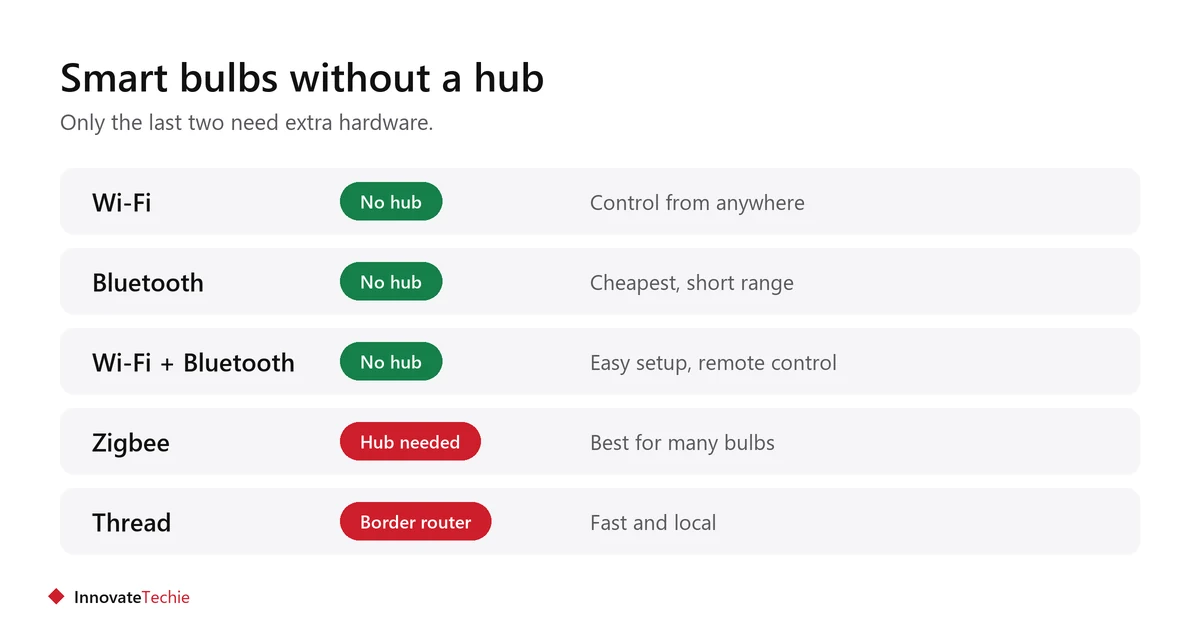
| Connection | Hub needed | Strength | Limit |
|---|---|---|---|
| Wi-Fi | No | Works from anywhere, no extra hardware | Uses a slot on your router |
| Bluetooth | No | Cheapest, simple pairing | Short range, usually no remote control |
| Wi-Fi + Bluetooth | No | Easy setup, remote control | Slightly dearer |
| Zigbee | Yes | Very reliable with many bulbs | Hub cost up front |
| Thread (with Matter) | Border router | Fast and local | Needs a compatible device |
What are the 7 checks before buying?
Run these on the product page. Most returns come from the first two.
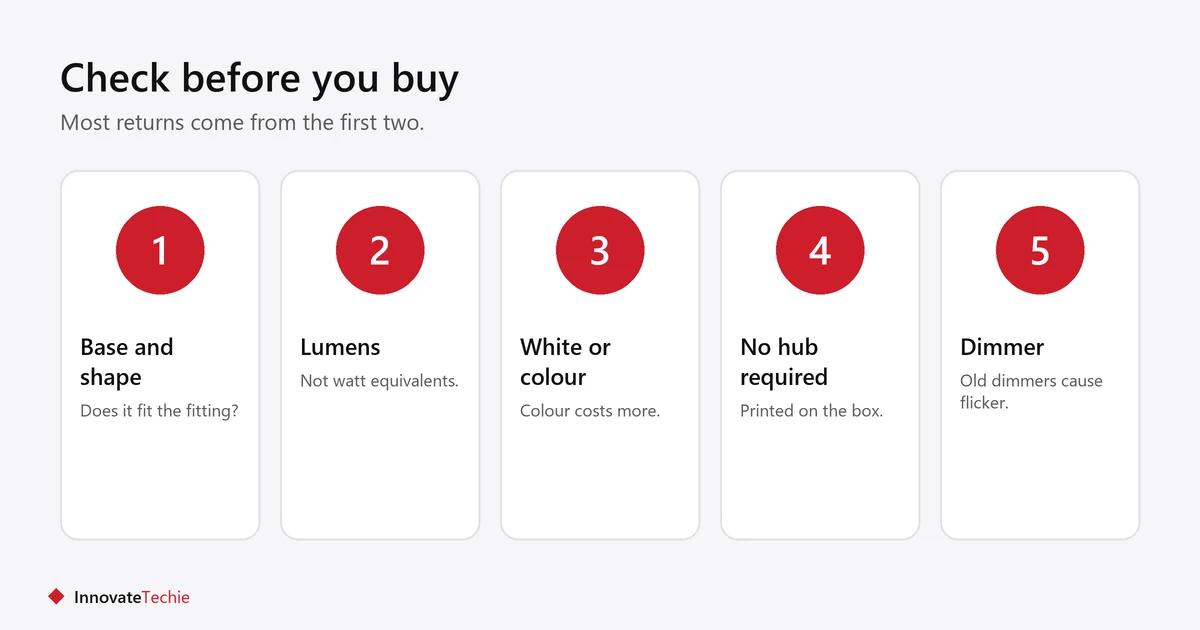
- Base and shape. E26 is the common screw base in the US, but check your fitting and whether the bulb physically fits the shade.
- Brightness in lumens, not watts. A bulb described as “60W equivalent” tells you less than its lumen figure.
- White only, tunable white, or colour. Colour costs more and most rooms only need warm-to-cool white.
- “No hub required” on the box. Some brands sell both hub and hub-free versions of the same bulb.
- Ecosystem or Matter. Check it lists your assistant, or carries the Matter logo to keep options open.
- Dimmer compatibility. Smart bulbs and old wall dimmers often flicker. Leave the dimmer at full or replace the switch.
- Multi-pack price per bulb. Packs are usually cheaper per unit than singles.
Why do smart bulbs without a hub stop responding?
Almost always because the wall switch was turned off, which cuts power to the bulb. A smart bulb can only respond while it has power.
- Leave the wall switch on and control the bulb from the app, your voice or a wireless button.
- Tell guests and housemates, or fit a removable switch guard.
- Keep bulbs within reach of your Wi-Fi. Enclosed metal fittings weaken signal.
- Most budget bulbs need a 2.4 GHz network for setup.
- For wider network problems, see smart device not connecting to wifi.
When is a hub actually worth it?
When you have many bulbs, want them to respond without the internet, or keep hitting Wi-Fi limits. Below about fifteen bulbs, hub-free is simpler and cheaper.
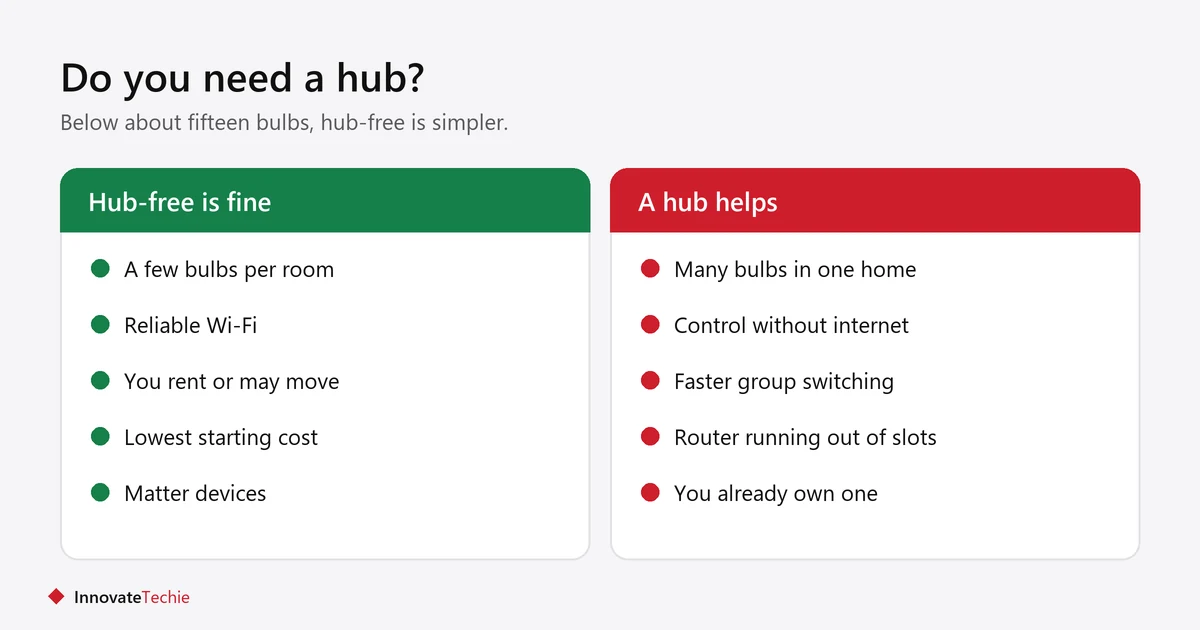
- Many bulbs: Zigbee bulbs do not each take a Wi-Fi slot.
- Local control: hub systems often keep working when the internet is down.
- Faster response: noticeable when switching several bulbs at once.
- You may already own one: some speakers and streaming boxes include a Zigbee or Thread radio.
What does Matter change for hub-free bulbs?
Matter lets one bulb work with more than one ecosystem, so the same bulb can be added to Alexa, Google Home and Apple Home instead of locking you into whichever app you started with.
- A Matter bulb that uses Wi-Fi still needs no hub at all.
- A Matter bulb that uses Thread needs a border router, which many recent speakers and streaming boxes already contain.
- Matter does not make a bulb brighter or better built. It only changes what is able to control it.
- It matters most if you may switch assistant later, or if your household already uses more than one.
- Read the logo on the box rather than the marketing copy, since a “works with” badge is a weaker claim.
Smart bulbs or smart plugs?
Use a bulb when you want to change the light itself, and a plug when on and off is enough. Never put a smart bulb on a smart plug, because the plug cuts its power.
The full comparison is in smart bulb vs smart plug.
What about renting?
Smart bulbs are among the best renter upgrades: they screw into the fitting that is already there, change nothing structural, and leave with you.
Keep the original bulbs in a labelled box and refit them at move-out. More in smart lighting for renters.
Related guides
- Smart Plug Not Connecting? 8 Proven Fixes That Work
- What Not to Plug Into a Smart Plug: 8 Essential Rules
- Smart Plug Ideas: 12 Easy Routines for Every Room
Frequently asked questions
Do smart bulbs need a hub?
Most do not. Smart bulbs without a hub connect over Wi-Fi or Bluetooth instead. Only Zigbee bulbs need a hub, and Thread bulbs need a border router, which many recent speakers include.
What is the difference between Wi-Fi and Bluetooth smart bulbs?
Wi-Fi bulbs can be controlled from anywhere and work with voice assistants directly. Bluetooth bulbs are cheaper but usually only work when your phone is nearby.
Why does my smart bulb not respond?
The wall switch is almost certainly off, which cuts power to the bulb. Leave the switch on and use the app, your voice, or a stick-on wireless button instead.
Can I use smart bulbs with a dimmer switch?
Usually not well. Smart bulbs and older wall dimmers often cause flickering. Leave the dimmer at full brightness, or dim through the app instead.
How many smart bulbs can I have without a hub?
It depends on your router, but problems usually start somewhere above a dozen or so Wi-Fi devices. A Zigbee hub makes sense beyond that.
Are smart bulbs good for renters?
Yes. They screw into existing fittings, need no wiring, and come with you when you move. Keep the original bulbs to refit at the end of the tenancy.
About the author: Hamza Javaid is a web developer and the editor of InnovateTechie. Read our editorial policy.
Last updated: October 2026. Prices, plans and app menus change often, so confirm details on the manufacturer’s page before you buy.
