


The smart home automation ideas worth setting up are the ones that remove something you do by hand every day: a lamp at sunset, a plug off at bedtime, a light that comes on when you walk in. Anything else becomes a gadget you stop using.
These ten are ordered by how easy they are. The first four need nothing but a smart plug and the free app you already have.
Table of Contents
What makes an automation worth setting up?
It should replace a repeated manual action, work without anyone thinking about it, and fail harmlessly. If it needs supervision, it is not an automation.
- It is repeated. Daily or near-daily, otherwise you will not notice the benefit.
- It is automatic. No phone, no app, no remembering.
- It fails safely. If the Wi-Fi is down, nothing bad happens.
- Everyone can override it. A wall switch or a button still works.
What are the 10 smart home automation ideas?
Start at the top. Each one lists what it needs.
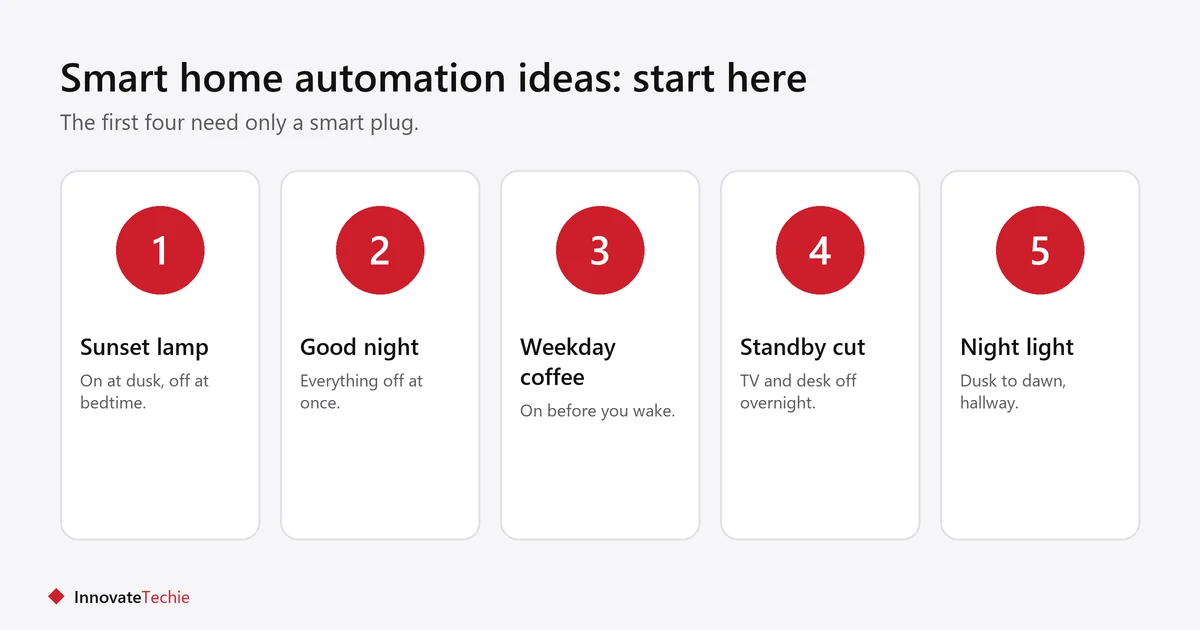
| # | Idea | Needs |
|---|---|---|
| 1 | Lamp on at sunset, off at bedtime | Smart plug or bulb |
| 2 | Everything off when you say “good night” | Smart plugs and a speaker or app |
| 3 | Coffee maker on, weekday mornings | Smart plug and a manual-switch machine |
| 4 | Standby power cut overnight | Smart plug on a TV or desk strip |
| 5 | Hallway night light from dusk to dawn | Motion night light or smart bulb |
| 6 | Lights on when you arrive home | Location trigger in the app |
| 7 | Fan or heater on a schedule | Smart plug rated for the appliance |
| 8 | Away lighting while on a trip | Smart plug with a varied schedule |
| 9 | Thermostat setback while out | Smart thermostat |
| 10 | Alert if a door is left open | Door sensor, usually with a hub |
Which should a beginner set up first?
Start with one lamp on a sunset schedule. It takes five minutes, costs the price of one smart plug, and tells you whether you want more.
- Plug a smart plug into the outlet and a lamp into the plug.
- Add the plug in the maker’s app and name it “Living room lamp”.
- Set a schedule: on at sunset, off at a fixed time.
- Leave the lamp’s own switch on.
- Live with it for a week before buying anything else.
More device-level detail is in our smart plug ideas.
What do you need to start?
A phone, a free app and one smart plug. A speaker is optional and a hub is usually unnecessary.
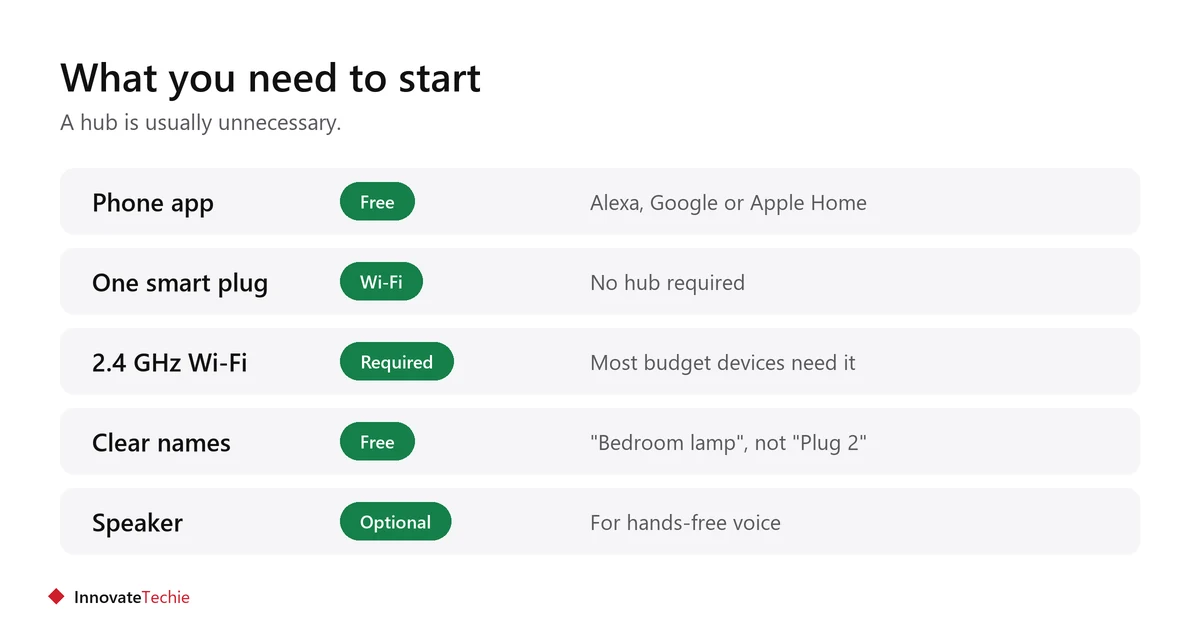
- The free Alexa, Google Home or Apple Home app.
- One Wi-Fi smart plug, which needs no hub.
- Devices with the Matter logo if you may change ecosystem later.
- A 2.4 GHz Wi-Fi network, which most low-cost devices require.
- Clear device names. “Bedroom lamp” works by voice; “Plug 2” does not.
Our guide to a smart home without a hub explains what needs one and what does not.
Which automation ideas are not worth it?
Anything that needs a button press afterwards, anything safety-critical, and anything bought because it was on sale rather than because it solves a problem.
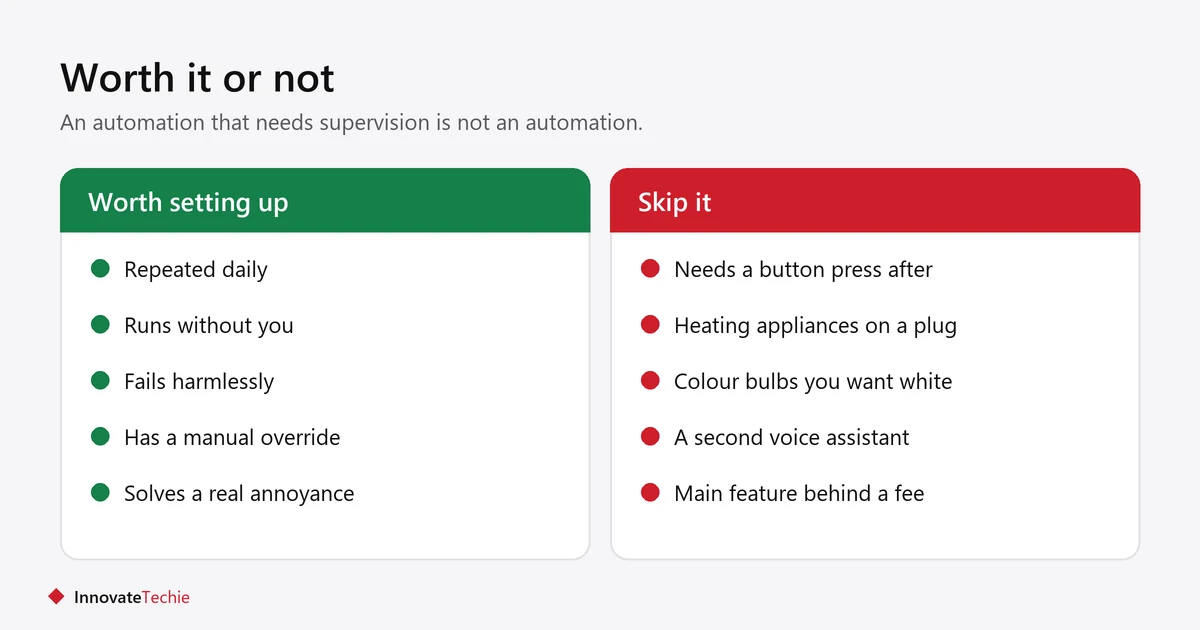
- Automating an appliance that needs a manual start after power returns.
- Heating appliances on a standard smart plug. See what not to plug into a smart plug.
- Colour-changing lighting in rooms where you only want white light.
- A second voice assistant in the same home.
- Anything whose main feature needs a monthly subscription.
Will these ideas work across different brands?
Increasingly, yes. A device carrying the Matter logo can be added to Alexa, Google Home and Apple Home rather than only one of them, which is what makes a mixed-brand setup practical.
- Matter devices can usually be shared with more than one ecosystem at the same time.
- Many older Wi-Fi devices work in several apps too, through a brand account you link once.
- The automations themselves are not portable. A routine built in Alexa does not transfer to Google Home.
- Pick one app as the place you build automations, even when the devices come from several brands.
- Check the box for your assistant by name, because a logo is a weaker promise than named support.
How do you keep automations reliable?
Keep each one short, name devices clearly, and re-test after any change to your router or devices. Most failures follow a change elsewhere.
- Two or three actions per automation, not ten.
- One clear trigger phrase or time each.
- Re-test after changing your Wi-Fi password or router.
- Check automations after replacing a bulb or plug.
- Keep a wall switch working everywhere, so nothing depends on the automation.
If one stops firing, see Alexa routine not working.
Related guides
- What Is Matter Smart Home? 7 Simple Facts for Buyers
- Smart Home on a Budget: 5 Easy Steps, No Monthly Fees
- Smart Home Ideas for Renters: 9 Easy No-Drill Upgrades
Frequently asked questions
What are the easiest smart home automation ideas for beginners?
A lamp on a sunset schedule, a “good night” command that switches everything off, and a coffee maker on a weekday timer. All three need only a smart plug.
What do I need to start home automation?
Most smart home automation ideas need only a phone, a free app such as Alexa or Google Home, and one Wi-Fi smart plug. No hub is needed for most starter devices.
Do smart home automations need a hub?
Usually not. Wi-Fi plugs, bulbs, cameras and thermostats work without one. A hub is mainly needed for battery sensors using Zigbee, Z-Wave or Thread.
What is the difference between a routine and an automation?
They are the same idea with different names. Alexa calls them routines, Google Home calls them automations: a trigger followed by one or more actions.
Why do my smart home automations stop working?
Usually a device went offline, a trigger phrase clashed with a built-in command, or the Wi-Fi changed. Run the automation manually to find which half is failing.
How many smart home devices do I need?
Two or three cover most useful automations in a small home. Add more only when you can name the device and the daily annoyance it removes.
About the author: Hamza Javaid is a web developer and the editor of InnovateTechie. Read our editorial policy.
Last updated: October 2026. Prices, plans and app menus change often, so confirm details on the manufacturer’s page before you buy.
