


Will a smart plug work if the wall switch is off? No. A smart plug needs constant power, so a switch that cuts the outlet takes the plug offline completely. It cannot be turned on by app or voice until the switch is back on.
This catches people out because nothing visibly breaks. The plug simply vanishes from the app, and the obvious suspect is Wi-Fi rather than a light switch across the room.
Table of Contents
What actually happens
The plug loses power, drops off the network, and shows as offline or unresponsive. Nothing is damaged, and it comes back when power returns.
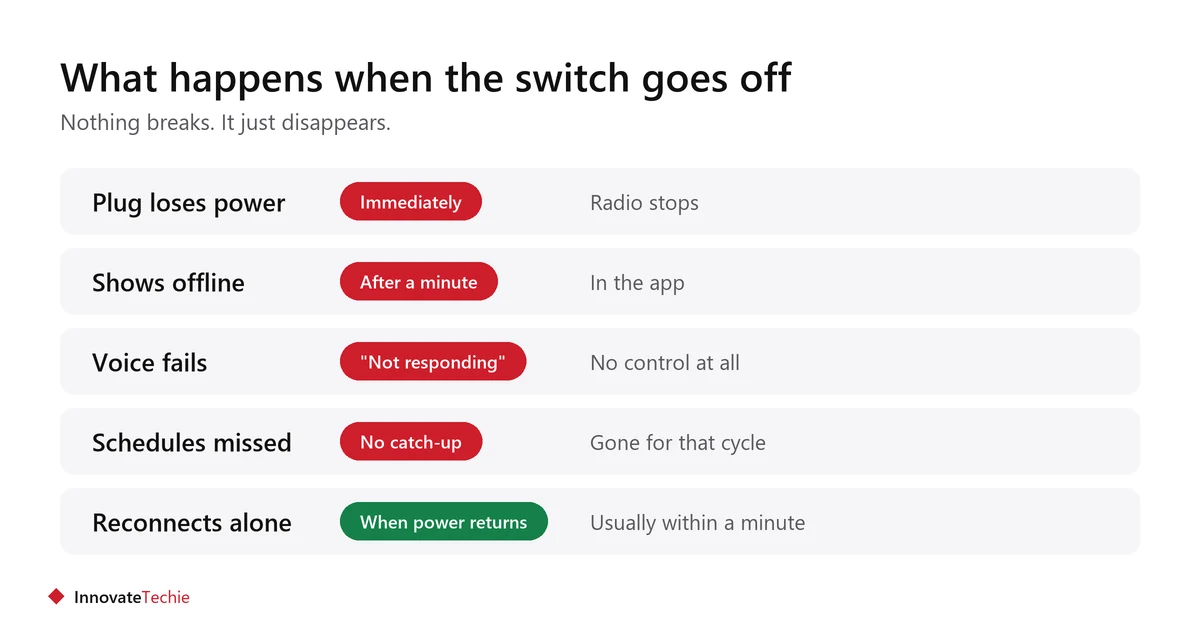
- The plug’s radio needs power to listen for commands. No power, no listening.
- The app shows it offline, often after a delay of a minute or two.
- Voice commands return “that device is not responding”.
- Any schedule due during the outage is simply missed.
- When power returns, the plug reconnects by itself, usually within a minute.
How to tell if your outlet is switched
Many homes have one outlet in a room wired to a wall switch, often only the top or bottom socket of the pair. It is called a half-hot or switched outlet.
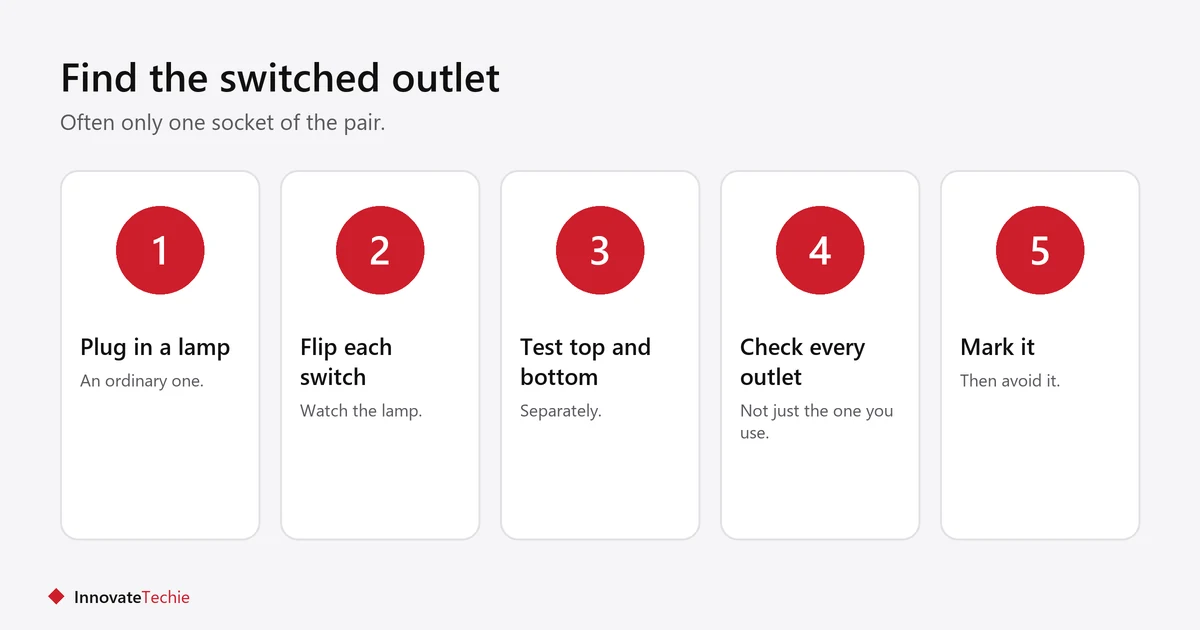
- Plug an ordinary lamp into the outlet and turn it on.
- Flip each wall switch in the room and watch the lamp.
- Test the top and bottom sockets separately. Often only one is switched.
- Check every outlet in the room, not just the one you are using.
- Mark the switched one, or simply avoid it for smart devices.
Living rooms and bedrooms are the usual places. Kitchens and bathrooms rarely have them.
The four ways around it
Pick based on whether you can change wiring and whether you rent.
| # | Fix | Effort | Suits renters? |
|---|---|---|---|
| 1 | Move the plug to an always-on outlet | None | Yes |
| 2 | Leave the switch on, fit a switch guard | Minimal | Yes |
| 3 | Use a smart switch instead of a smart plug | Wiring | No |
| 4 | Have the outlet made always-on | Electrician | No, needs permission |
Option 1 solves it in ten seconds and is nearly always the right answer. Option 2 is for when the switched outlet is the only one in a useful place.
Do schedules survive the power cut?
It depends on where the schedule lives. Some plugs store schedules on the device, so they resume on their own. Others rely on the cloud and simply miss anything due while they were off.
- A schedule stored on the plug resumes as soon as power returns.
- A cloud-run schedule needs the plug online at the moment the schedule fires. If it was off, nothing happens, and it does not catch up.
- Neither type runs anything retrospectively. A missed 7pm lamp stays off until the next trigger.
- Check the plug’s manual for “local schedule” or “on-device schedule” if this matters to you.
Does leaving the switch on waste power?
Barely. A smart plug sitting idle draws somewhere around half a watt to two watts, which over a year is a very small amount of electricity.
- That standby draw is the price of the plug being able to listen for commands at all.
- Over a year it amounts to a few kilowatt-hours per plug.
- If the plug is switching off something with a meaningful standby draw of its own, it saves far more than it uses.
- For where household electricity actually goes, the U.S. Department of Energy covers the big items, and heating, cooling and lighting dominate.
- If you have several plugs and want to know exactly, a monitoring plug will tell you.
The wider question of whether plugs save anything is in do smart plugs save energy, and a plug with energy monitoring will measure it.
The same problem with smart bulbs
Smart bulbs have exactly this issue, and worse, because the wall switch is the natural thing to reach for.
A smart bulb with its wall switch off is unreachable by app or voice. The fix is the same: leave the switch on and control the bulb another way. More in smart bulbs turn on by themselves.
What to do about housemates
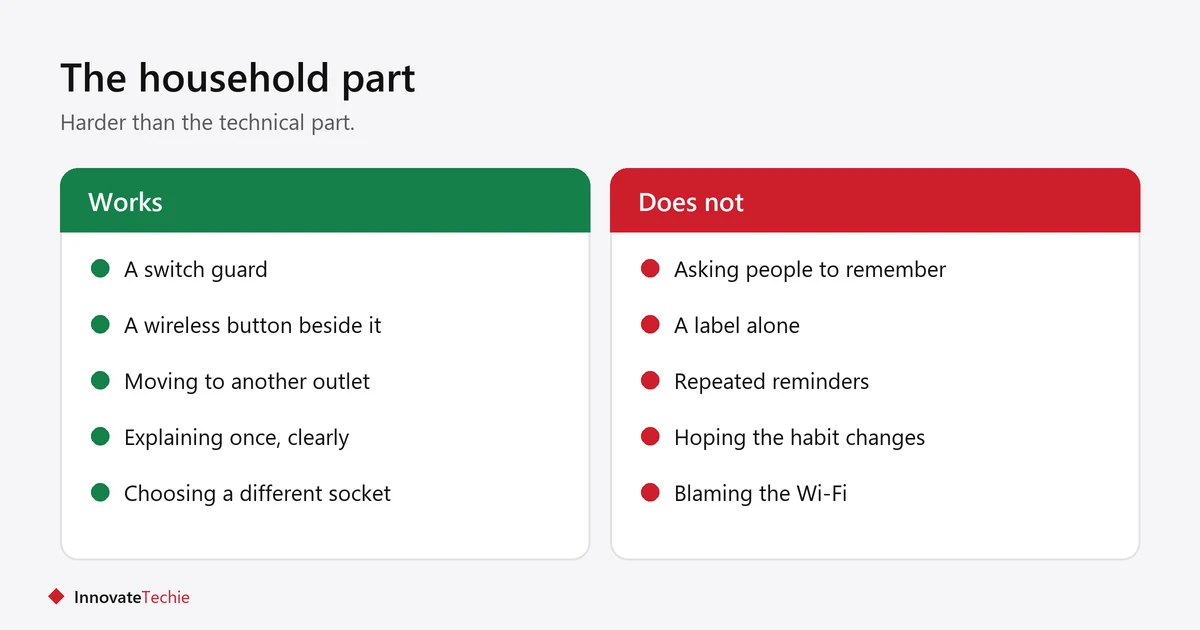
The technical fix is easy. The household fix is the hard part, because flipping a light switch is a lifetime habit.
- A switch guard or cover costs very little and ends the argument.
- A label saying “leave on” works for some people and not others.
- Giving them a working alternative helps more than asking them to stop. A stick-on wireless button next to the switch gives the same instant control.
- If the habit cannot be broken, move the smart plug to a different outlet and give up on that one.
Which devices belong on a smart plug at all is covered in what not to plug into a smart plug.
Related guides
- Smart Bulbs Flicker With a Dimmer Switch: The Fix
- Smart Plug Not Connecting? 8 Proven Fixes That Work
- Smart Plug Ideas: 12 Easy Routines for Every Room
Frequently asked questions
Will a smart plug work if the wall switch is off?
No. The plug needs constant power to stay connected, so a switch that cuts the outlet takes it offline. It cannot be controlled again until the switch is back on.
Does a smart plug need constant power?
Yes. Its radio has to stay powered to receive commands from the app or a voice assistant. Cutting power is the same as unplugging it.
How do I know if my outlet is controlled by a switch?
Plug in an ordinary lamp, turn it on, then flip each wall switch in the room. Test the top and bottom sockets separately, because often only one of the pair is switched.
Will my smart plug schedule still run after power comes back?
It resumes if the schedule is stored on the plug. Cloud-run schedules miss anything that was due while the plug was off, and do not catch up afterwards.
Is it bad to keep switching a smart plug off at the wall?
It does not damage the plug, but it defeats the point of having one and causes repeated offline alerts. Leave the switch on and control the plug in the app.
What can I use if the only outlet is switched?
Leave the switch on with a guard fitted, or move the plug to an always-on outlet. A smart wall switch is the permanent fix, but it needs wiring and landlord permission.
About the author: Hamza Javaid is a web developer and the editor of InnovateTechie. Read our editorial policy.
Last updated: October 2026. Prices, plans and app menus change often, so confirm details on the manufacturer’s page before you buy.
