


To set up Alexa for an elderly parent, configure the device on your own Wi-Fi first, create or use their own Amazon account, then take it to them and reconnect it to their network. Doing the fiddly part before the device leaves your house saves most of the difficulty.
One thing to know before you start, because most guides online still get it wrong: Alexa Together no longer exists. If an article tells you to subscribe to it, that article is out of date, and so is the rest of its advice.
Table of Contents
What Amazon removed, and what is left
Alexa Together, the caregiver subscription, was retired. Amazon’s own announcement page carries the note “Update May 21, 2025: Alexa Together is no longer available.” Care Hub, the free version that came before it, is gone too.
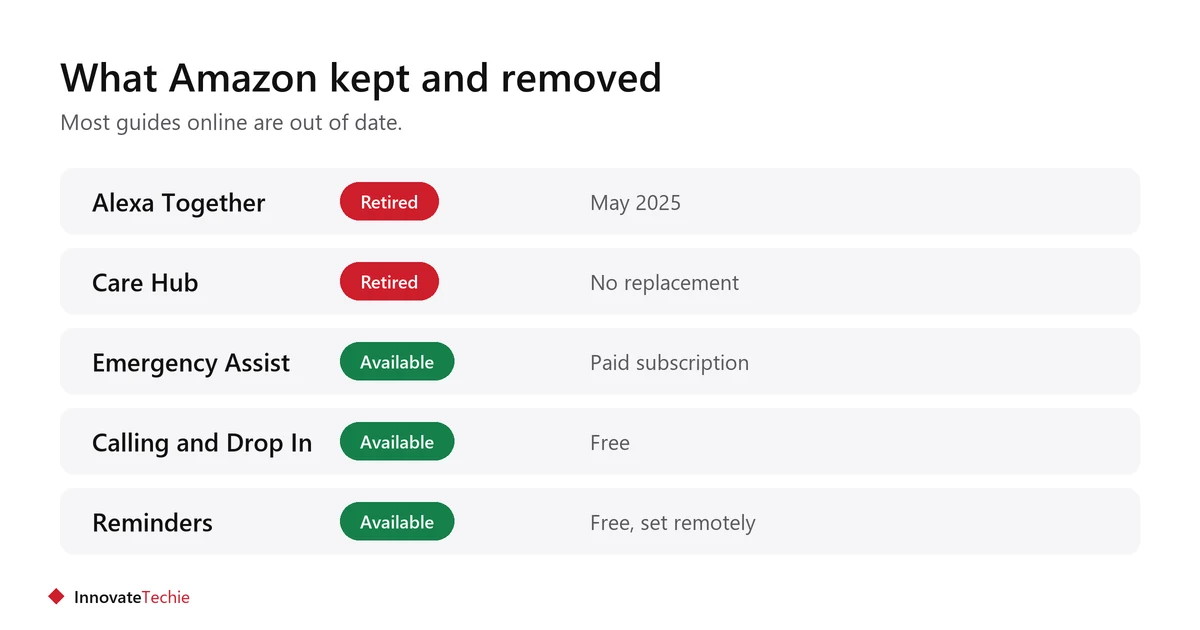
| Feature | Status |
|---|---|
| Alexa Together subscription | Retired |
| Care Hub (free activity feed) | Retired |
| Alexa Emergency Assist | Available, paid subscription |
| Calling and Drop In | Available, free |
| Reminders and announcements | Available, free |
| Remote device settings | Limited |
Emergency Assist covers the urgent-help part: a hands-free way to call for help. Amazon publishes the current price on its own page, and subscription prices change, so check there rather than trusting a figure in any article, including this one.
What has not been replaced is the quiet reassurance part, the activity feed that told you your parent had been up and about. Nothing from Amazon does that now.
Set it up before you deliver it
Do the account work and the fiddly settings at your house, where you have your own Wi-Fi and your own patience. Then move it.
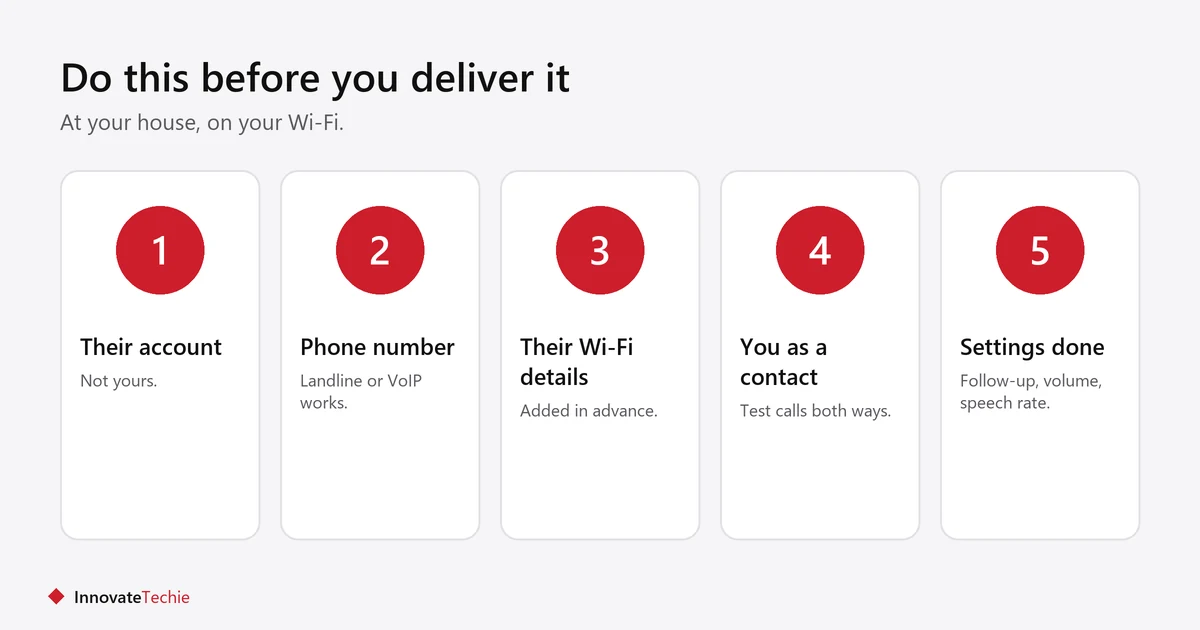
- Decide whose account it uses. Their own, not yours, unless you want your purchases, music and reminders on it.
- Create the account if needed. Amazon asks for a phone number. If they have no mobile, a landline or a free voice-over-internet number usually works.
- Set the device up on your Wi-Fi and work through the settings while it is in front of you.
- Add their Wi-Fi details in the Alexa app before you go, so it reconnects on arrival.
- Add yourself as a contact and test a call both ways.
- Take it to them, plug it in, and test again on their network.
The settings that matter most
A small number of settings make the difference between a device that gets used and one that gets unplugged.
- Follow-up mode: Alexa keeps listening briefly after answering, so the wake word is not needed for every sentence.
- Speech rate: Alexa can be asked to talk slower, which helps a great deal.
- Volume: set it higher than feels right to you, and check it from across the room.
- Do not disturb schedule: stops announcements at night.
- Voice purchasing off: prevents accidental orders.
- Brief mode off: fuller spoken confirmations are clearer.
- An Echo Show rather than a speaker if video calls matter, since seeing a face helps.
A fuller walkthrough of living with the device is in Alexa for seniors.
What you can and cannot do from a distance
You can add reminders, routines and contacts remotely. You cannot complete most of the initial setup, and some settings need the device in front of you.
| From anywhere | Needs you in the room |
|---|---|
| Add and edit reminders | First-time Wi-Fi setup |
| Create and change routines | Changing to a new network |
| Add or remove contacts | Some device-level settings |
| Make calls and Drop In | Physical placement and volume |
| Send announcements | Teaching them to use it |
That last row is the one people underestimate. Half an hour sitting with someone, practising the five phrases they will actually use, does more than any setting.
Useful routines to set up for them
Keep them few and obvious. Three routines someone uses beat twenty they forget.
- Medication prompts at fixed times, spoken aloud in the room.
- “Good morning” giving the day, date and weather, which helps orientation.
- “Good night” turning off lights on smart plugs.
- A one-phrase call to you, so they do not have to remember a contact name.
- A sunset lamp routine, so the room is never dark when they stand up.
More on medication prompts specifically is in medication reminders for seniors, and motion sensor lights for seniors covers night-time lighting.
Privacy and consent
Set this up with them, not for them, and be plain about what it can hear and who can connect.
- Drop In lets you connect without them answering. Agree explicitly whether that is on, and who may use it.
- Voice recordings can be set to delete automatically. Turn that on unless there is a reason not to.
- The microphone has a physical off button. Show them where it is.
- A camera-equipped Echo Show has a shutter. Show them that too.
- Revisit the conversation later. Consent given once, at setup, is not consent forever.
What Alexa is not
It is not a medical alert system, and it should not be relied on as one.
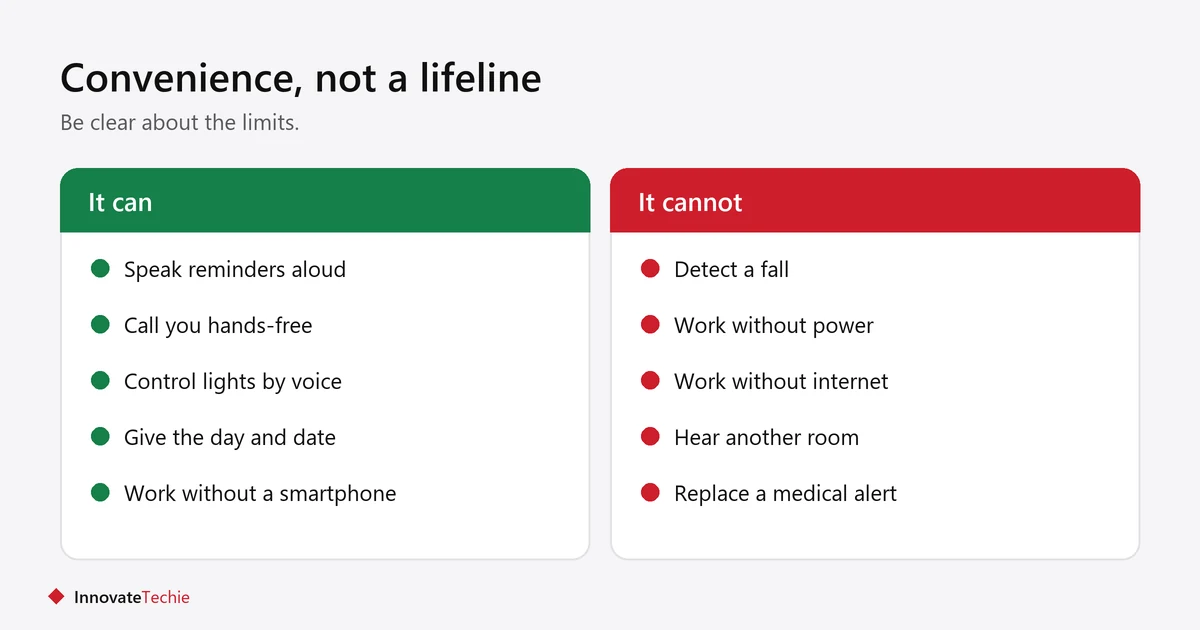
- It needs mains power and working internet. Both fail, often at the same time in a storm.
- It cannot detect a fall. It only responds to a voice it can hear.
- Someone on the floor in another room may not be heard at all.
- A monitored pendant or a proper medical alert service is the right tool if falls are a real risk.
- Treat Alexa as convenience and company, with emergency calling as a bonus rather than the plan.
For devices around the rest of the home, see smart home devices for elderly living alone.
Frequently asked questions
How do I set up Alexa for an elderly parent?
Set the device up on your own Wi-Fi first, using their Amazon account, add their network details and your contact, then take it to them and reconnect it. Doing the fiddly part early saves most of the trouble.
Can I set up Alexa for my parent remotely?
Only partly. Reminders, routines and contacts can be added from anywhere, but first-time Wi-Fi setup and some device settings need you physically with the device.
Is Alexa Together still available?
No. Amazon’s own page states it is no longer available as of May 2025, and the earlier free Care Hub is gone too. Emergency Assist is the remaining paid caregiver feature.
What replaced Alexa Care Hub?
Nothing directly. Emergency Assist covers calling for help, but the activity feed that showed whether someone had been up and about has no Amazon replacement.
Does my parent need their own Amazon account?
It is much better if they do. Using your account puts your purchases, music and reminders on their device, and mixes up calling and contacts.
Can Alexa be used as a medical alert system?
No. It needs power and internet, it cannot detect a fall, and it may not hear someone in another room. If falls are a real risk, use a monitored pendant or medical alert service.
About the author: Hamza Javaid is a web developer and the editor of InnovateTechie. Read our editorial policy.
Last updated: October 2026. Prices, plans and app menus change often, so confirm details on the manufacturer’s page before you buy.
