


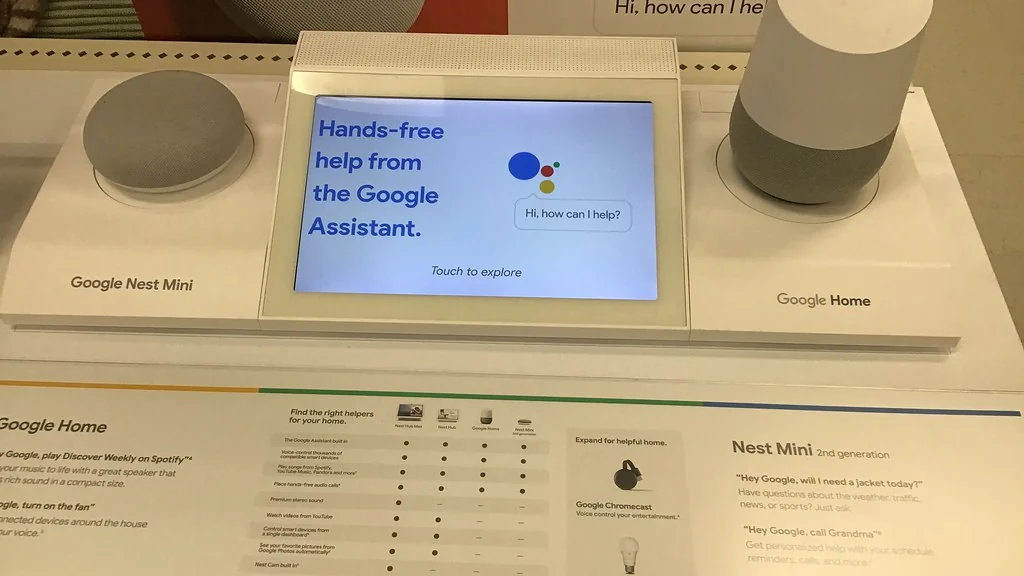
Google Home routines let one phrase, time or event trigger several actions, such as “Hey Google, good morning” turning on a lamp, reading the weather and starting the news. You build them in the free Google Home app from starters and actions.
This guide explains the parts, walks through your first routine and gives nine ideas to copy.
Table of Contents
What are Google Home routines?
A routine is a saved rule. A starter says when it runs, and actions say what happens. In recent versions of the app, routines are also called automations.
| Part | What it is | Examples |
|---|---|---|
| Starter | What triggers the routine | A voice phrase, a time, sunrise or sunset, a device, arriving or leaving home |
| Action | What Google does | Control lights and plugs, adjust the thermostat, play media, tell you the weather |
| Personal or household | Who can use it | Personal runs for you. Household runs for everyone in the home |
Menu names change between app versions. Google keeps its own instructions on its routines help page.
How do you create your first routine?
Open the Google Home app, start a new routine, add one starter and one or two actions, then save. It takes about five minutes.
- Open the Google Home app and go to Automations or Routines.
- Tap the plus button to create a new routine.
- Choose Personal or Household.
- Give it a name, such as “Good morning”.
- Add a starter, for example a voice phrase.
- Add actions one at a time.
- Save, then say the phrase to test it.
The app also includes ready-made routines such as Good Morning and Bedtime that you can edit.
What are the best Google Home routines for beginners?
These nine cover the moments most homes repeat each day.
| # | Routine | Starter | Actions |
|---|---|---|---|
| 1 | Good morning | “Hey Google, good morning” | Lamp on, weather, news |
| 2 | Bedtime | “Hey Google, bedtime” | Lights off, quiet sounds |
| 3 | Leaving home | “Hey Google, I’m leaving” | Lights and chosen plugs off |
| 4 | I’m home | Arriving home | Hallway light on |
| 5 | Sunset lights | Sunset | Living room lamp on |
| 6 | Weekday coffee | A set time, weekdays | Coffee maker plug on |
| 7 | Movie time | “Hey Google, movie time” | Lamp off, TV plug on |
| 8 | Dinner call | “Hey Google, dinner time” | Broadcast to all speakers |
| 9 | Wind down | A set time | Lights dim |
What do you need before you start?
You need the Google Home app, a Google account and something for the routine to control or say. A speaker is optional.
- The free Google Home app on Android or iPhone.
- A Nest speaker or display for hands-free voice control.
- Smart plugs or bulbs that list Google Home or Matter support.
- Clear device names and rooms set in the app.
- Location permission, only for arriving and leaving starters.
Smart plugs are the cheapest thing to control. See our smart plug ideas.
Why is a Google Home routine not working?
The usual causes are a starter phrase that clashes with a built-in command, a device that is offline, or a schedule set for the wrong days.
- Run the routine by hand from the app.
- If it works, change the starter phrase to something distinct.
- Check every device shows as online.
- Confirm the days and time, and your home address for sunset.
- Check location permission for arriving and leaving.
- Delete and rebuild the routine if nothing else works.
Google Home routines or Alexa routines?
Both do the same job for a beginner. Use whichever assistant you already have.
For the Amazon version, see Alexa routines for beginners. To compare the two ecosystems, see Alexa vs Google Home.
Related guides
Frequently asked questions
What are Google Home routines?
They are saved rules in the Google Home app. A starter, such as a phrase or a time, triggers one or more actions like turning on lights or reading the weather.
How do I set up a routine in Google Home?
Open the Google Home app, go to Automations or Routines, tap the plus button, add a starter and actions, then save and test it.
Are Google Home routines free?
Yes. Creating and running routines in the Google Home app costs nothing. You only pay for the devices you want to control.
Do I need a Nest speaker for Google Home routines?
No. Routines can run from the Google Home app on a phone. A speaker adds hands-free voice control.
Can Google Home turn on lights at sunset?
Yes. Choose sunset as the starter and add your light or smart plug as the action. The time adjusts through the year.
What is the difference between personal and household routines?
A personal routine runs only for you. A household routine can be used by everyone who is a member of the home in the app.
About the author: Hamza Javaid is a web developer and the editor of InnovateTechie. Read our editorial policy.
Last updated: October 2026. Prices, plans and app menus change often, so confirm details on the manufacturer’s page before you buy.
