Part ofWhat Is Claude Code? The Complete Guide
In This Article
7 sectionsQuick answer
Claude skills vs commands explained: skills load automatically when Claude decides they fit, slash commands run when you type them. See when to build each.
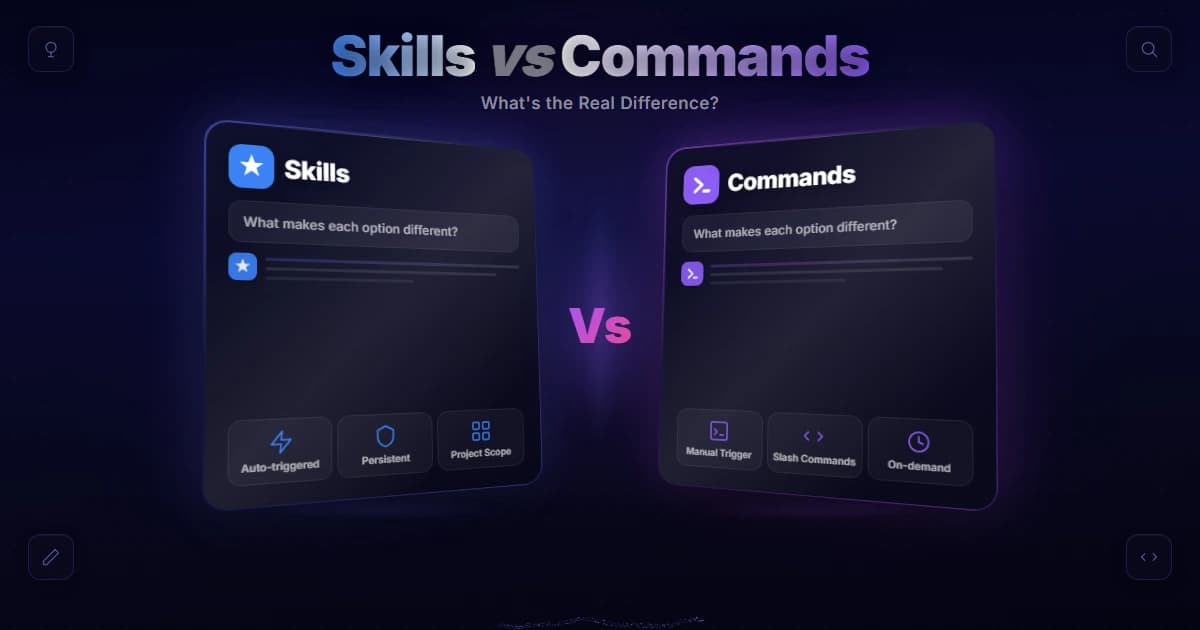
The core of claude skills vs commands is who pulls the trigger. A skill is a packaged folder that Claude loads automatically when your task matches its description — it is model-invoked. A slash command is a shortcut you type, like /deploy, that injects a saved prompt on demand — it is user-invoked.
Skill and slash-command behaviour verified 31 July 2026 against the Claude Code skills documentation.
If you have spent any time in Claude Code, you have probably seen both terms and quietly wondered whether they are two names for the same thing. They are not. Getting the claude skills vs commands distinction right changes how you organize reusable work, and it stops you from building the wrong kind of automation for the job. This guide clears it up in plain English, shows how each is defined and stored, and gives you a simple rule for choosing between them.
Key takeaway
In Claude skills vs commands the difference is who pulls the trigger: a skill is model-invoked — Claude loads it automatically when your task matches its description — while a slash command is user-invoked, running only when you type /name.
Claude skills vs commands: the one-sentence answer
A skill encodes a procedure Claude applies on its own whenever your task matches its description. A slash command is a saved prompt that runs only when you type it. Skills decide the moment; commands wait for you to.
Here is the shortest honest version of claude skills vs commands. A skill encodes a procedure or body of knowledge that Claude should apply on its own whenever it is relevant, without you asking for it by name. A slash command is something you fire explicitly by typing / and a name. Skills are about Claude knowing when to do something; commands are about you deciding now.
That difference in who invokes it drives everything else — how they are stored, what they are best at, and how they fit together. If you want the deeper background first, our explainer on what Claude Code is sets the stage for why this distinction exists at all.

What a skill actually is
A skill is a folder holding a SKILL.md file — YAML frontmatter telling Claude when to reach for it, plus a Markdown body of instructions — alongside any templates, reference documents, or scripts the procedure needs.
A skill is a folder. At minimum it contains a single file called SKILL.md, which has YAML frontmatter and a Markdown body. The frontmatter carries a description that tells Claude when to reach for the skill; the body carries the instructions Claude follows once it does. Optional extra files can live alongside it — templates, reference documents, or scripts Claude can run — so a skill can package a genuinely reusable procedure rather than a one-line prompt.
Skills live in a skills/ directory. A personal skill sits at ~/.claude/skills/<skill-name>/SKILL.md and applies across all your projects. A project skill sits at .claude/skills/<skill-name>/SKILL.md and applies only to that repository, so you can commit it and share it with your team. According to the official Claude Code skills documentation, the directory name becomes the command you can type, and the description is what Claude uses to decide when to load the skill automatically.
That automatic loading is the headline feature. In a normal session Claude keeps every skill's description in context but only pulls in the full body when it actually invokes the skill. So a long reference document costs almost nothing until the moment it is needed. This automatic loading behaves identically across the current models Claude Code can run — Opus 5, Sonnet 5, and Haiku 4.5 — so a skill you write once works the same whichever you pick. If you want a hands-on walkthrough, we cover the mechanics end to end in how to build a Claude skill and in the broader guide to Claude Code skills.
What a slash command actually is
A slash command is a saved prompt you fire by typing /name. Custom ones began as single .md files under .claude/commands/, accept $ARGUMENTS, and in current Claude Code have merged into skills.
A slash command is the thing you type. You press /, pick a name, optionally add arguments, and Claude runs whatever that command is wired to do. Built-in ones like /help and /compact ship with the tool. Custom ones are the interesting part: historically you created them as a single .md file under .claude/commands/, where the file name became the command — .claude/commands/deploy.md gives you /deploy.
The value of a slash command is consistency on demand. Instead of retyping the same paragraph of instructions every time you want to ship, you save it once and trigger it with three keystrokes. According to the official slash commands documentation, custom commands support arguments through the $ARGUMENTS placeholder, so /fix-issue 123 passes 123 straight into your saved prompt. It is a shortcut, not a new capability — it shapes what Claude does by controlling the prompt you feed it.
The important nuance in 2026: in current Claude Code, custom commands have effectively merged into skills. A file at .claude/commands/deploy.md and a skill at .claude/skills/deploy/SKILL.md both create /deploy and behave the same when you type them. Your old .claude/commands/ files keep working untouched. Skills are simply the richer form — they add a folder for supporting files, frontmatter to control who invokes them, and that automatic loading a plain command never had.
The comparison table, side by side
The two rows that matter are "triggered by" and "invoked by". A skill is model-invoked and can also be typed; a command is user-invoked only. Storage paths and bundled files follow from that.
Here is the split laid out side by side.
| Dimension | Skill | Slash command |
|---|---|---|
| Definition | A folder with SKILL.md plus optional templates, docs, and scripts | A single saved prompt (a .md file), now a lightweight kind of skill |
| Stored in | ~/.claude/skills/ (personal) or .claude/skills/ (project) | .claude/commands/ (legacy) or a skill folder |
| Triggered by | Claude, automatically, when the task matches the description | You, explicitly, by typing /name |
| Invoked by | Model-invoked (and you can also type it) | User-invoked |
| Best for | Reusable procedures and knowledge Claude should apply on its own | Actions you want to fire deliberately, on your timing |
Read the table twice and the pattern jumps out. The rows for "triggered by" and "invoked by" are the whole story of claude skills vs commands. A skill can also be typed like a command, but only a skill can decide, on its own, that now is the moment to apply itself.
How each one is triggered
Claude matches your request against every skill's description and loads the skill itself. A slash command sits inert until you type it. Two frontmatter switches, disable-model-invocation and user-invocable, move a skill along that dial.
This is where claude skills vs commands stops being abstract. Imagine you write a skill whose description says "use when the user asks what changed or wants a commit message." You never have to type its name. You just say "what did I change?" and Claude matches your request to that description and loads the skill. That is model invocation, and it is the reason skills feel like Claude quietly getting smarter about your project.
A slash command has no such radar. /deploy does nothing until you type /deploy. That is a feature, not a limitation — you do not want Claude deciding to push to production because your code "looks ready." For anything with side effects, explicit user invocation is exactly what you want.
Claude Code even lets you tune this. A skill can carry disable-model-invocation: true in its frontmatter, which stops Claude from firing it automatically and makes it a type-it-only command in practice. The opposite field, user-invocable: false, hides a skill from the / menu so only Claude can reach it — perfect for pure background knowledge like "how this legacy system works." Those two switches are really a dial between the two ends of that spectrum.

When to build which
Build a skill when Claude should apply something automatically: coding conventions, multi-step procedures, domain knowledge, anything with bundled files. Build a slash command when only you should pull the trigger — deploys, releases, anything destructive or timing-sensitive.
Ask one question: does this need to happen automatically when relevant, or only when I say so?
Build a skill when the answer is "Claude should just know to do this." Typical cases:
- Coding conventions for your API or framework, applied on every change without a reminder.
- Multi-step procedures like a research routine or a release checklist.
- Domain knowledge about a gnarly subsystem that Claude should read before touching it.
- Anything with bundled files — a template to fill in, a reference doc, a script to run — because a plain command cannot carry those.
The common thread is work you want applied consistently without babysitting. If you are collecting patterns like this, our roundups of Claude Code tips and tricks and the best Claude skills are good places to mine ideas.
Build a slash command (or a skill with model invocation disabled) when the answer is "only on my command." Deploys, releases, sending a message, anything destructive or timing-sensitive. You want your hand on the trigger, so you save the prompt and fire it deliberately.
And often the right answer is both. This is the part people miss in the debate: they complement each other. A command can be the quick, explicit trigger, while a skill encodes the deeper how-to that Claude applies whenever the surrounding work calls for it. For heavier workflows, skills can even hand off to a Claude Code subagent, running the procedure in an isolated context and reporting back. You are not picking a winner — you are picking the right tool per task.
The quick mental model
Skills are ambient; commands are deliberate. If Claude should recognise the moment on its own, package it as a skill. If you need to choose the moment yourself, keep it behind a slash you type.
If you remember nothing else about claude skills vs commands, remember this: a skill is knowledge Claude carries and applies on its own; a slash command is a button you press. Skills answer "what should Claude do here without me asking?" Commands answer "what do I want to trigger right now?" Everything else — the SKILL.md folder, the .claude/commands/ file, the frontmatter switches — is just plumbing around that one idea.
Frequently Asked Questions

Written by
Edith
Writing about Claude and the Anthropic toolkit — models, Claude Code, pricing, features, and fixes, in clear, practical, hands-on guides tested by daily use.
View all posts →