


A robot vacuum not returning to dock is usually a problem with the dock, not the robot: it is unplugged, pushed under furniture, against a dark wall, or blocked by something on the floor. Sensor and mapping faults exist, but they are further down the list than people assume.
Worth saying up front: almost every page answering this question is published by a company that sells robot vacuums, and each one explains its own model. This covers what is common to all of them, and how to tell the causes apart.
Table of Contents
Check the dock before the robot
With a robot vacuum not returning to dock, start at the base rather than the machine. Three quarters of docking failures come from the dock, and they take a minute to rule out.
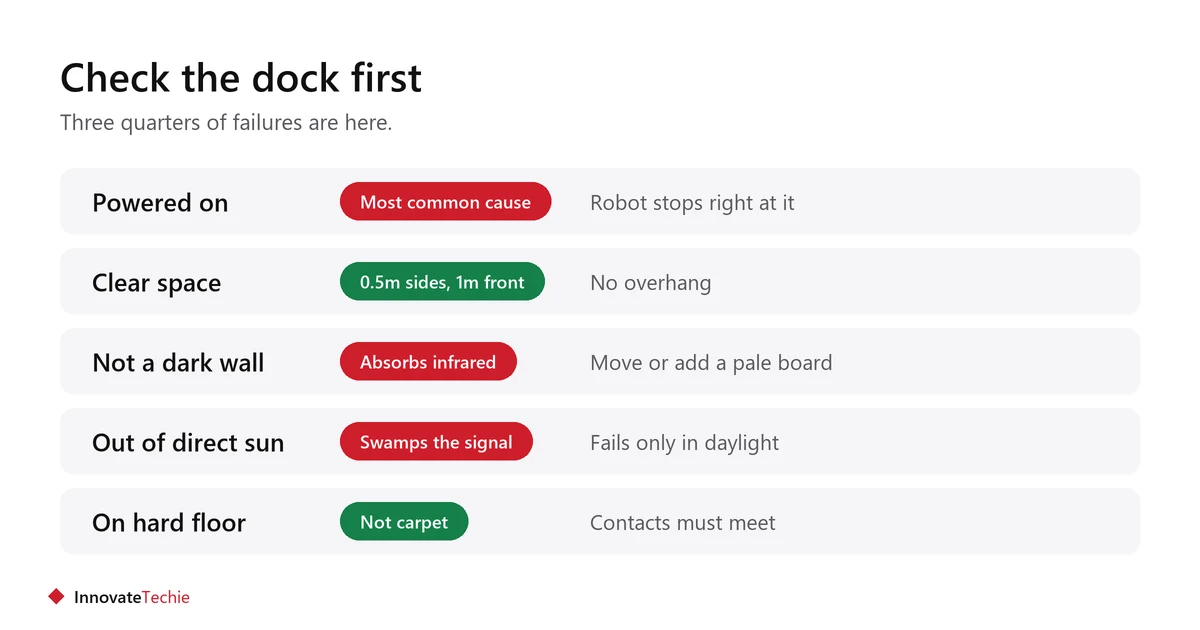
- Is it plugged in and switched on? An unpowered dock is the single most common cause. The robot often drives right up to it and then stops, which looks like a sensor fault but is not.
- Is there clear space around it? Most makers want roughly half a metre either side and a metre or so in front, with no furniture overhanging.
- Is it against a dark wall? Dark surfaces absorb the infrared the robot looks for. Vorwerk names black and dark-coloured walls specifically.
- Is direct sunlight falling on it? Strong sun swamps the same infrared signal. A dock that works at night and fails in the afternoon is this.
- Is it on carpet? Docks belong on hard floor. Carpet changes the robot’s approach height and the contacts may not meet.
- Are the charging contacts clean? Wipe both the dock pins and the strips on the robot with a dry cloth.
Then check the floor between them
The robot has to physically get back. Anything that stops it on the way reads as a docking failure.
- Cables and charger leads are the usual culprits, especially phone chargers left on the floor.
- A rug with a thick edge can stall a robot that crossed it easily in the other direction, because it approaches at a different angle on the way home.
- A door that swung shut during the clean leaves the robot in the wrong room entirely.
- Shoes, toys and pet bowls appear after the map was made.
- Check the route, not just the dock. Walk it yourself.
Did you move the robot?
Picking the robot up mid-clean is a very common cause, and it is rarely obvious afterwards. Many models navigate by tracking where they have been, so lifting one breaks that chain.
- If you untangled it from a cable and set it down, it may no longer know where it is.
- Starting a clean from somewhere other than the dock has the same effect on some models.
- The fix is simply to put it back on the dock by hand and start the next clean from there.
- Models with laser or camera navigation recover from this better than those without, but not always.
Clean the sensors
Dust on the sensors is the most common genuine fault in the robot itself, and it is free to fix.
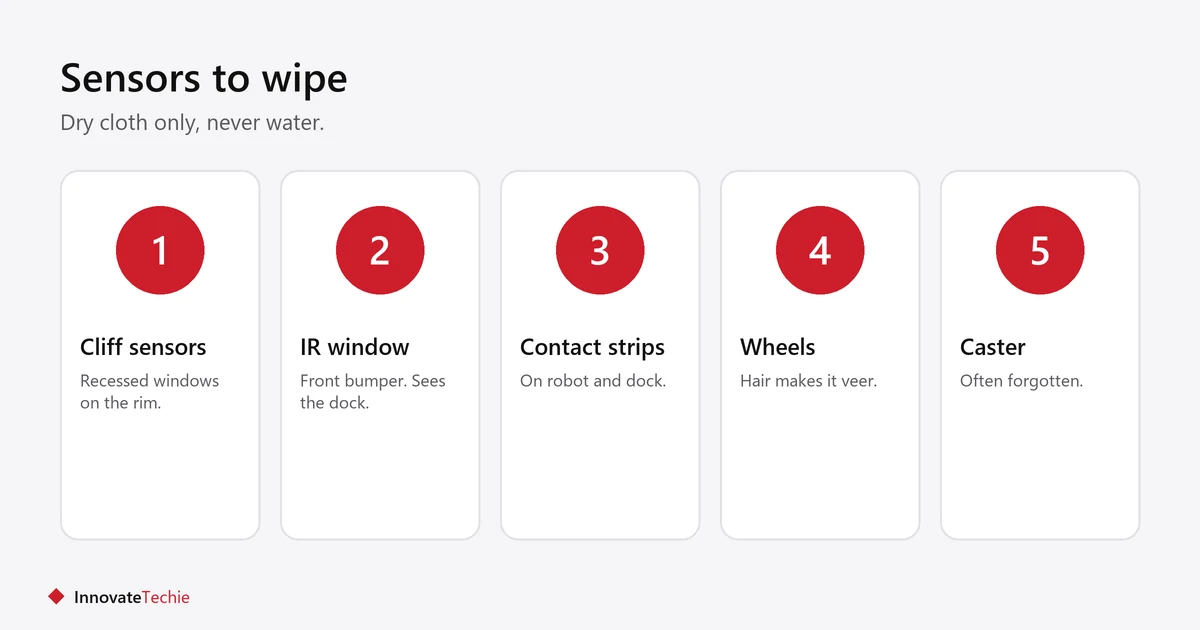
- Turn the robot upside down on a towel.
- Wipe the cliff sensors around the rim with a dry microfibre cloth. These are the small recessed windows.
- Wipe the charging contact strips.
- Find the infrared receiver window, usually on the front bumper, and clean it. This is the one that sees the dock.
- Clear hair from the wheels and the caster, since a dragging wheel skews navigation.
- Do not use water or cleaning spray on any sensor window.
Full maintenance is covered in robot vacuum maintenance. Keeping filters clean matters for air quality too, and the U.S. Environmental Protection Agency recommends a HEPA-filtered vacuum to reduce dust being blown back into the room.
Map problem or sensor problem?
This is the question the vendor pages rarely answer plainly. The test is whether the robot can dock from close range.
| Test | Result | Points to |
|---|---|---|
| Place it a metre from the dock, facing it, and send it home | Docks fine | A map or navigation problem |
| Same test | Still cannot dock | A sensor, contact or dock-power problem |
| It docks in one room but not from elsewhere | Route is blocked or map is stale | Remap |
| It circles near the dock without connecting | Sees it, cannot align | Contacts, or dock on carpet |
| It never heads home at all | Does not know where home is | Remap, and start cleans from the dock |
When to remap
Remap after furniture moves, after a room changes use, or when the robot repeatedly goes to where the dock used to be.
- Moving the dock is the clearest reason. Many models need a new map, not just a nudge.
- Save the old map first if the app allows it, so a failed remap is not a setback.
- Run the mapping pass with doors open and floors clear, which is not how the house normally looks.
- Re-add no-go zones afterwards. They do not always survive a remap.
- Expect the first clean after a remap to be slower.
Firmware and resets, in that order
Update before resetting. A factory reset loses your maps and zones, so it is a last step rather than a first one.
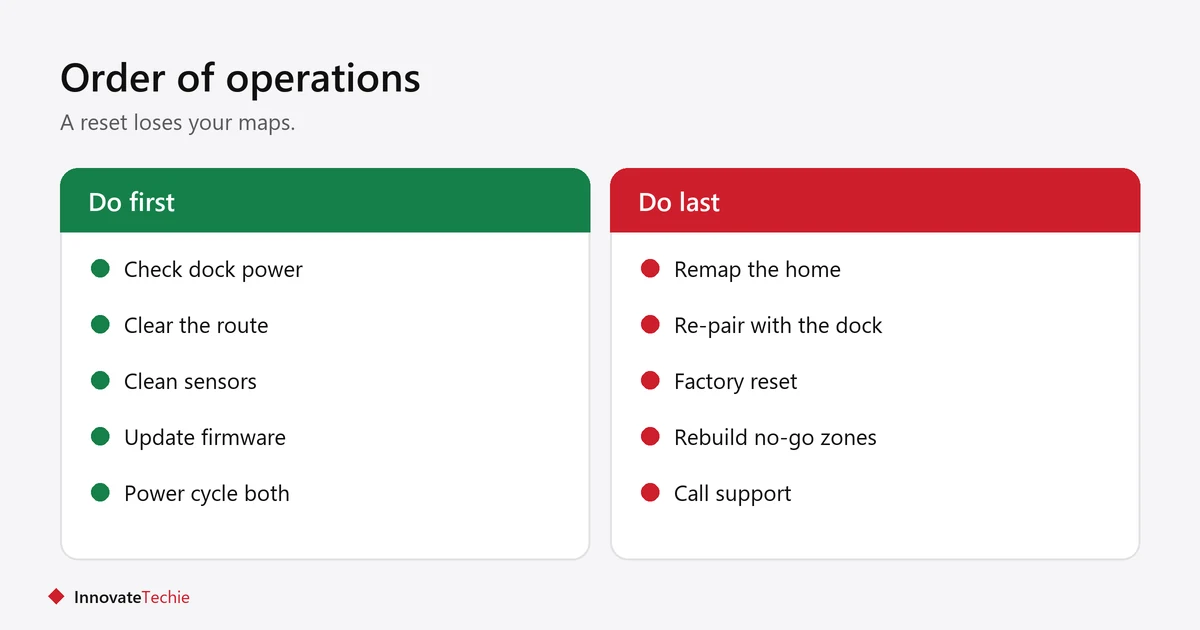
- Update the firmware in the maker’s app. Docking bugs are common and commonly fixed.
- Power cycle the dock: unplug for thirty seconds, plug back in.
- Power cycle the robot using its main switch, usually underneath.
- Re-pair the robot with the dock if your model has that option.
- Only then factory reset, and expect to rebuild maps and zones afterwards.
When it is actually broken
If the robot cannot dock from a metre away, on hard floor, with a powered dock and clean contacts, the fault is hardware.
- A failed infrared receiver is the usual culprit and is not a home repair.
- A swollen or failing battery can make the robot stop short because it runs out partway.
- Worn wheel motors make it veer, so it approaches the dock off-centre every time.
- Check the warranty before paying anyone. Docking faults inside the warranty period are usually covered.
- If the machine is old and repairs cost more than it is worth, robot vacuum vs stick vacuum is worth reading before replacing like for like.
Related guides
- Robot Vacuum for Small Apartment: 8 Essential Buying Tips
- Smart Plug for Coffee Maker: 6 Easy Steps to Fresh Coffee
Frequently asked questions
Why is my robot vacuum not returning to dock?
Most often the dock itself: unplugged, pushed under furniture, against a dark wall, in direct sunlight, or with dirty charging contacts. Check the base before suspecting the robot.
Why does my robot vacuum stop just before the dock?
That usually means the dock has no power, or the charging contacts are dirty or misaligned. The robot can see the base and reach it, but cannot complete the connection.
Does a dark wall stop a robot vacuum docking?
It can. Robots find the dock using infrared, and dark surfaces absorb it. Direct sunlight causes the same problem by swamping the signal, so a dock that works at night and fails in daylight points to this.
Should I remap after moving the robot vacuum dock?
Yes, on most models. Moving the dock usually needs a new map rather than a small adjustment, and the robot will otherwise keep heading to where the base used to be.
Will cleaning the sensors fix docking problems?
Often, yes. Dust on the cliff sensors and the infrared window on the front bumper is the most common genuine fault in the robot itself, and it costs nothing to fix.
How do I know if my robot vacuum is broken?
Place it a metre from a powered dock, facing it, with clean contacts and hard floor underneath. If it still cannot dock, the fault is hardware rather than mapping, and it is a warranty question.
About the author: Hamza Javaid is a web developer and the editor of InnovateTechie. Read our editorial policy.
Last updated: October 2026. Prices, plans and app menus change often, so confirm details on the manufacturer’s page before you buy.
