


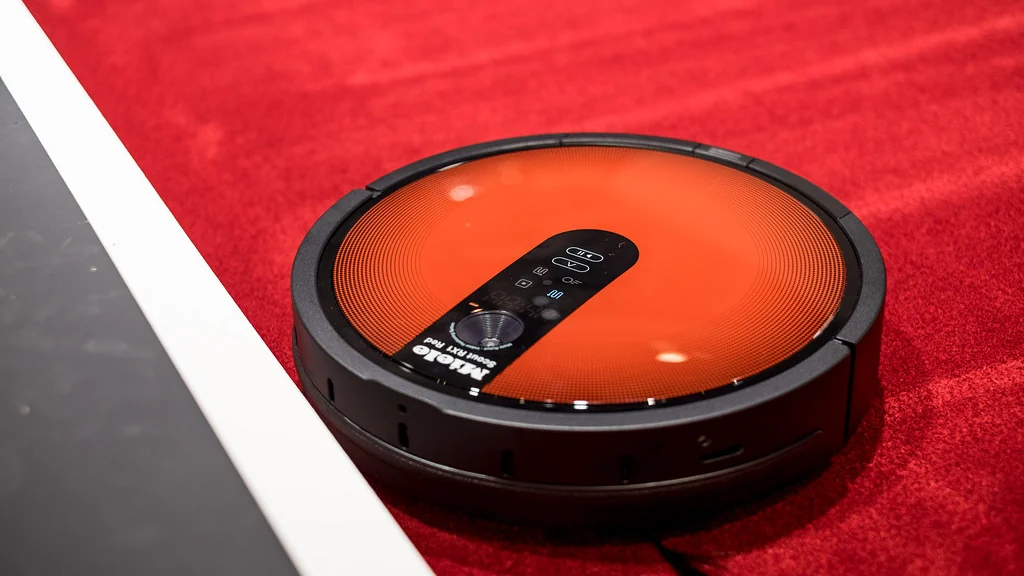
The right robot vacuum for small apartment living is a slim, quiet model with a simple app or remote, bought for its fit under your furniture more than for suction figures. In a small space, a basic model can cover the floor on one charge.
We have not tested robot vacuums ourselves yet, so this guide names no winners. It gives you eight tips for judging any low-cost model, and an honest answer on whether you need one at all.
Table of Contents
Do you need a robot vacuum for a small apartment?
Not always. A small floor is quick to clean by hand, and a stick vacuum usually costs less. A robot earns its place when it runs often with no effort from you, for example daily while you are out.
| A robot vacuum suits you if | A stick vacuum suits you better if |
|---|---|
| You have mostly hard floors or low rugs | You have thick carpet or many high thresholds |
| You have a pet that sheds | Your floor is usually covered with items |
| You want daily light cleaning | You clean once a week and want deep suction |
| Furniture has clearance underneath | Storage space is very tight |
Consumer Reports has looked at whether a robotic vacuum makes sense for a small apartment.
What should you look for in a robot vacuum for small apartment use?
Look at eight things: height, navigation, noise, dustbin, floor type, running costs, app needs and floor preparation. Suction figures matter less in a small home with hard floors.

- Height. Measure the gap under your sofa and bed, and compare it with the robot’s height.
- Navigation. Basic models bump around at random. Mapping models clean in rows and can avoid set areas.
- Noise. Check the stated noise level and schedule runs for when you are out.
- Dustbin. A standard bin needs emptying often. A self-empty dock is convenient but takes floor space.
- Floor type. Check the threshold height it can climb and whether it copes with your rugs.
- Running costs. Filters, brushes and any dock bags need replacing.
- App and Wi-Fi. Some low-cost models work from a remote with no app, which is simpler but less flexible.
- Floor preparation. Cables, socks and light rugs stop most robots.
Which navigation type is enough for a small space?
In a studio or one-bedroom apartment, basic navigation can be enough, because there is little floor to miss. Mapping becomes worth paying for when you want no-go zones or room-by-room cleaning.

| Navigation | How it moves | Good for | Limits |
|---|---|---|---|
| Random bump | Changes direction when it touches something | One or two open rooms | Misses spots, takes longer |
| Gyroscope | Cleans in rough rows | Small apartments | No saved map on many models |
| Laser or camera mapping | Builds a map and plans a route | No-go zones and room selection | Higher price, taller body on some models |
How much does a cheap robot vacuum cost to run?
Running costs come from filters, side brushes, the main brush, dock bags if you have a self-empty dock, and eventually a battery. Check the price and availability of these parts before you buy.
| Part | What to check |
|---|---|
| Filter | Price, and how often the maker says to replace it |
| Side and main brushes | Sold by the maker or only by third parties |
| Dock bags | Price per bag and how long one lasts |
| Battery | Whether it can be replaced by the owner |
A cheap robot with parts that are hard to find can cost more over three years than a dearer one with common parts.
How do you prepare a small apartment for a robot vacuum?
Clear the floor of anything the robot can swallow or tangle in, and give the dock a clear spot against a wall. Five minutes of preparation prevents most stuck-robot alerts.
- Lift charging cables and cords off the floor.
- Pick up socks, laces and small toys.
- Tuck or tape the fringe of rugs.
- Place the dock on a hard floor with space in front of it.
- Block off areas with pet bowls or delicate items.
Are robot vacuums noisy for neighbors?
They can be, especially on hard floors above another apartment. Run the robot during the day, when you are out and neighbors are less likely to be resting.
- Use a schedule for weekday daytime hours.
- Choose a quiet or eco mode if the model has one.
- Avoid night-time runs in buildings with thin floors.
You can also put a basic robot’s dock on a schedule with other devices. See smart plug ideas and our guide to a smart home on a budget.
Robot vacuum buying checklist
- Measure the clearance under your furniture.
- Decide whether you need mapping or basic navigation.
- Check the stated noise level.
- Price the filters, brushes and bags.
- Confirm it works without an app if you want that.
- Read the return policy before you buy.
Where should the dock go in a small apartment?
Put the dock against a wall on a hard, level floor, near a power outlet and with clear space in front. The robot must be able to find it and drive onto it without obstacles.
- Follow the clearance distances given in the manual.
- Avoid thick rugs under or in front of the dock.
- Keep it out of direct sunlight, which can confuse some sensors.
- Choose a spot your Wi-Fi reaches if the model uses an app.
- A self-empty dock is taller, so check it fits where you plan to put it.
In a studio, the space beside a bookcase or under a console table often works, provided the robot has room to turn.
How do you maintain a robot vacuum for small apartment use?
Empty the bin, clean the filter and clear hair from the brush on a regular schedule. A few minutes of upkeep keeps suction up and prevents most error messages.
- Empty the dustbin after every run or two.
- Tap out or rinse the filter as the manual directs, and let it dry fully.
- Cut hair and thread away from the main brush and side brush.
- Wipe the sensors and charging contacts with a dry cloth.
- Check the wheels for trapped debris.
- Replace filters and brushes at the interval the maker recommends.
How much suction and battery do you need?
Less than the marketing suggests. In a small home with hard floors, almost any current model has enough suction and battery to finish in one run, so compare fit and upkeep first.
- Suction is listed in pascals (Pa). Higher figures help mainly on carpet.
- Battery life matters little when the whole floor takes well under an hour.
- Check the charging time if you plan more than one run a day.
- Look for the stated noise level at the suction setting you will actually use.
Are vacuum-and-mop combos or obstacle avoidance worth it?
A mop combo is worth it only if most of your floor is hard and you will fill and clean the water tank. Obstacle avoidance and no-go zones are worth more in a small, cluttered room.
- Mop combo: a light wipe, not a deep clean. It adds a tank and pads to maintain.
- Obstacle avoidance: helps with cables, shoes and pet bowls, and usually raises the price.
- No-go zones: need a mapping model, and keep the robot away from a rug or a pet’s corner.
- Self-emptying dock: less handling of dust, but more floor space and ongoing bag costs.
Frequently asked questions
Is a robot vacuum worth it in a small apartment?
It can be if you want daily light cleaning with no effort, especially with pets and hard floors. If you clean weekly and want deep suction, a stick vacuum costs less.
What size robot vacuum fits under a couch?
Measure the gap under your couch and compare it with the robot’s stated height. Models with a laser turret on top are taller than those without.
Do cheap robot vacuums work without Wi-Fi?
Some do. Basic models can be started with a button or a remote control. You lose app features such as schedules set from your phone and cleaning maps.
How often should I run a robot vacuum in a small apartment?
Daily or every other day works well for light dust and pet hair. Small spaces finish quickly, so frequent short runs keep floors cleaner than one long weekly run.
Can a robot vacuum replace a regular vacuum?
Not fully. It keeps floors tidy between deeper cleans, but corners, stairs, upholstery and thick carpet still need a regular or handheld vacuum.
Will a robot vacuum for small apartment use disturb my neighbors?
It may on hard floors above another apartment. Schedule it for daytime hours and use a quiet mode if the model offers one.
About the author: Hamza Javaid is a web developer and the editor of InnovateTechie. Read our editorial policy.
Last updated: October 2026. Prices, plans and app menus change often, so confirm details on the manufacturer’s page before you buy.
