


A smart lock for renters should fit over the inside thumbturn of your existing deadbolt, leaving the outside hardware and your key untouched. These are called retrofit locks, and they come off at the end of a tenancy with a screwdriver.
Full replacement locks, where the whole deadbolt is swapped, are the ones most leases restrict. This guide covers the six approaches that avoid that, and the conversation to have with your landlord first.
Table of Contents
Can renters install a smart lock?
Usually yes, if you choose a retrofit lock and ask first. The deciding factor is whether the outside of the door changes and whether your landlord keeps a working key.
- Retrofit locks mount over the inside thumbturn. The outside keyhole still works with the original key.
- Replacement locks swap the whole deadbolt, including the outside. These normally need written permission.
- Ask in writing, and keep the reply. Even a no-drill lock is a change to the door.
- Offer to keep the original parts and refit them before you leave.
- Check your lease for clauses on door hardware and on giving the landlord access.
What are the no-drill options for a smart lock for renters?
There are six ways to add keyless entry without replacing the deadbolt. They differ in cost, how much of the door changes, and whether you need permission.
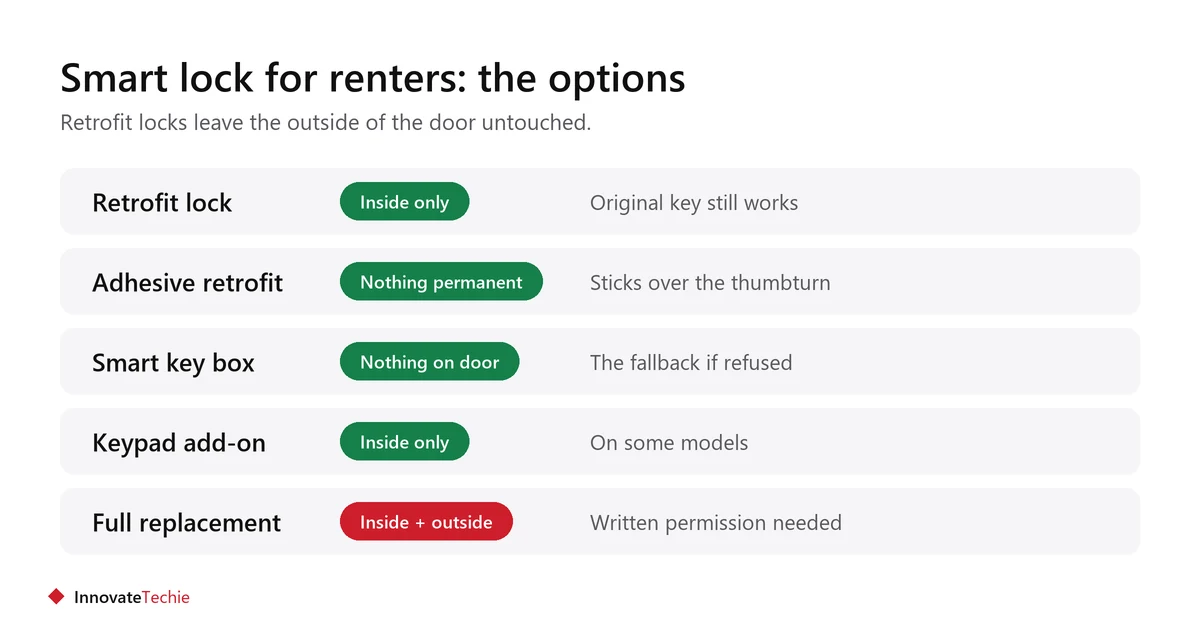
| # | Option | What changes | Permission |
|---|---|---|---|
| 1 | Retrofit lock over the thumbturn | Inside only; outside keyhole unchanged | Usually ask, rarely refused |
| 2 | Adhesive retrofit lock | Nothing permanent; sticks over the thumbturn | Usually ask |
| 3 | Smart lock box for a spare key | Nothing on the door at all | No |
| 4 | Keypad added to an existing lock | Inside only on some models | Ask |
| 5 | Smart doorbell plus existing lock | Nothing structural | Usually ask for the doorbell |
| 6 | Full deadbolt replacement | Inside and outside | Written permission, keep the original |
Options 1 and 2 are what most renters mean by a smart lock. Option 3 is the fallback if your landlord says no to anything on the door.
What should you check before buying?
Before buying a smart lock for renters, check that it fits your deadbolt, how it is powered, and whether remote access needs extra hardware. These three decide whether it works at all.
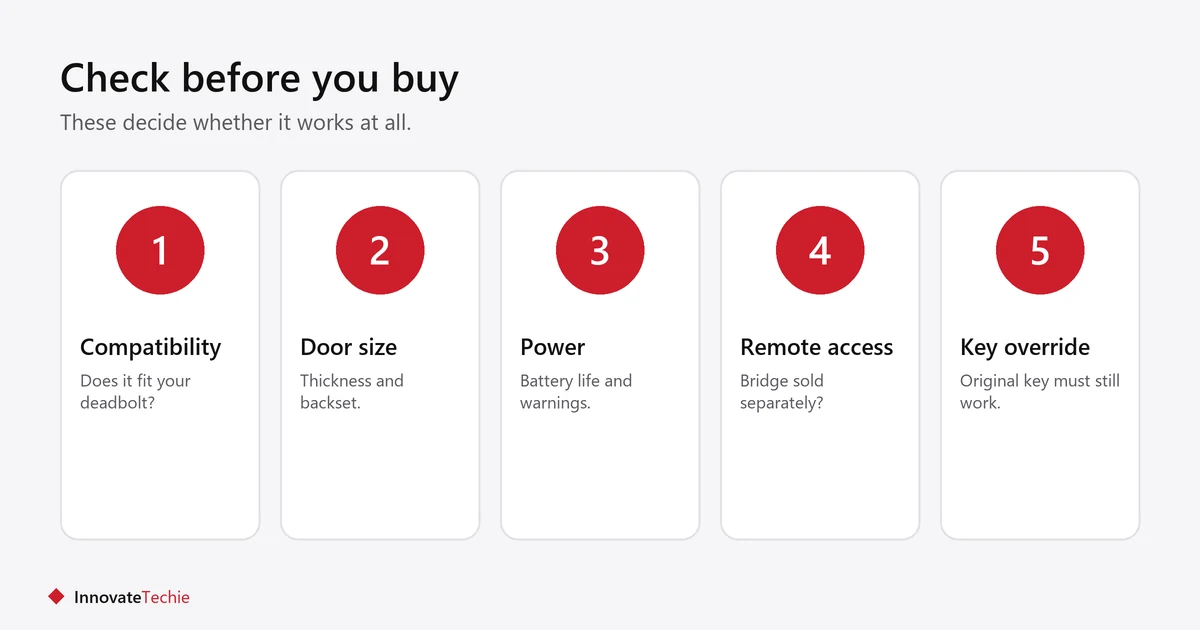
- Deadbolt compatibility. Retrofit locks fit a list of specific deadbolt models. Check yours against the maker’s compatibility tool before buying.
- Door thickness and backset. Measured in the manual. An unusual door may not take the mount.
- Power. Most run on batteries. Find the stated life and what happens when they die.
- Remote access. Many locks use Bluetooth only. Opening the door from away usually needs a separate Wi-Fi bridge, sold separately.
- Ecosystem. Check it lists your assistant, or carries the Matter logo.
- Manual override. The original key must still work from outside.
What happens if the batteries die?
A good retrofit lock keeps the original keyhole working, so dead batteries never lock you out. That is the main safety argument for retrofit over replacement.
- Keep carrying your physical key, even once the lock is installed.
- Most locks warn in the app and with a sound before batteries run out.
- Some replacement locks offer an external contact for a backup battery. Retrofit locks rely on the key.
- Note the battery type and keep spares.
How do you share access safely?
Give each person their own code or app access rather than sharing one. Codes can then be removed individually when someone moves out.
- Use a separate code for each housemate, cleaner or guest.
- Remove codes the day someone no longer needs access.
- Avoid obvious codes such as the flat number or a birthday.
- Turn on two-factor authentication in the lock’s app.
- Check the maker’s stated update policy before buying, since a lock is a security device.
What do you do at the end of the tenancy?
Unscrew the retrofit lock, refit the original thumbturn, and remove the lock from your account. The door should look exactly as it did on day one.
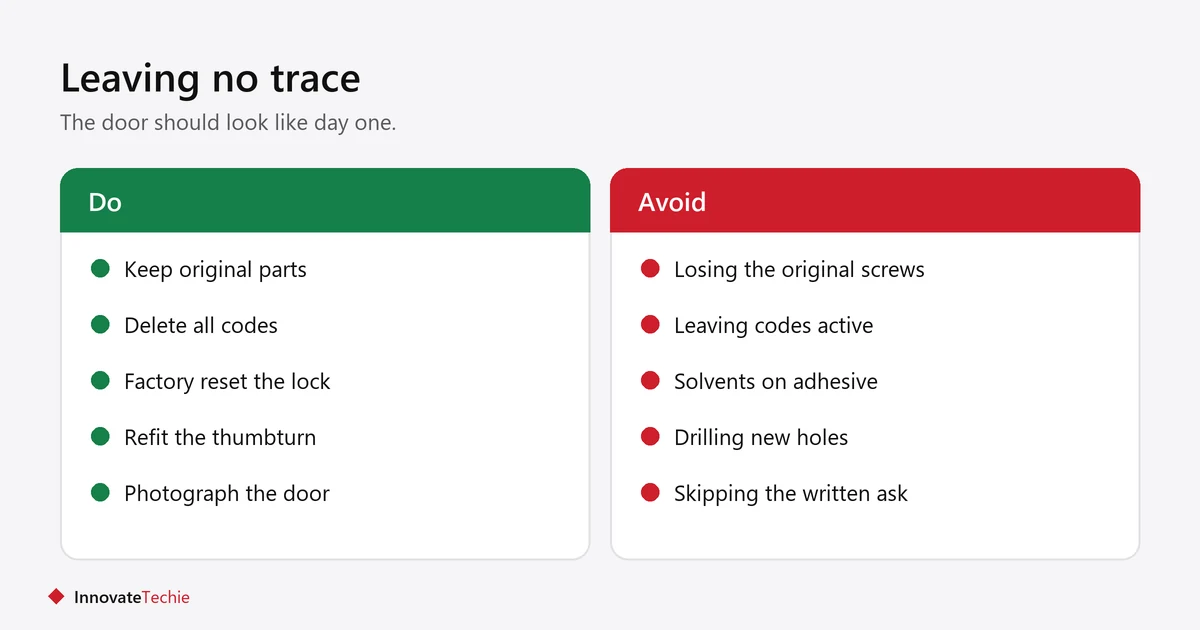
- Delete all access codes and remove the lock from the app.
- Factory reset it.
- Unscrew the mount and refit the original parts you kept.
- Clean off any adhesive residue with gentle heat, not solvents.
- Photograph the door for your deposit records.
More removable upgrades are in our smart home ideas for renters, and our guide to a smart home on a budget covers what to buy first.
Related guides
- Video Doorbell for Renters: 6 Easy No-Drill Options
- Smart Lighting for Renters: 7 Easy No-Drill Ideas
Frequently asked questions
Can I install a smart lock in a rental apartment?
Usually yes with a retrofit lock, which fits over the inside thumbturn and leaves the outside keyhole working. Ask your landlord in writing first, even for a no-drill model.
Do smart locks for renters need the deadbolt replaced?
Retrofit models do not. They mount over the existing thumbturn on the inside. Only full replacement locks swap the whole deadbolt, and those usually need permission.
What happens if my smart lock battery dies?
With a retrofit lock the original key still opens the door from outside, so you cannot be locked out. Keep carrying your key and replace batteries when the app warns you.
Can my landlord still get in with a smart lock?
Yes, with a retrofit lock, because the outside keyhole is unchanged and their key still works. That is often the point that gets permission granted.
Do smart locks work without Wi-Fi?
Many work over Bluetooth from your phone when you are nearby. Unlocking from away or checking the lock remotely usually needs a separate Wi-Fi bridge.
Will a smart lock fit my door?
Retrofit locks fit a specific list of deadbolt models. Check the maker’s compatibility tool with your deadbolt brand, door thickness and backset before buying.
About the author: Hamza Javaid is a web developer and the editor of InnovateTechie. Read our editorial policy.
Last updated: October 2026. Prices, plans and app menus change often, so confirm details on the manufacturer’s page before you buy.
