


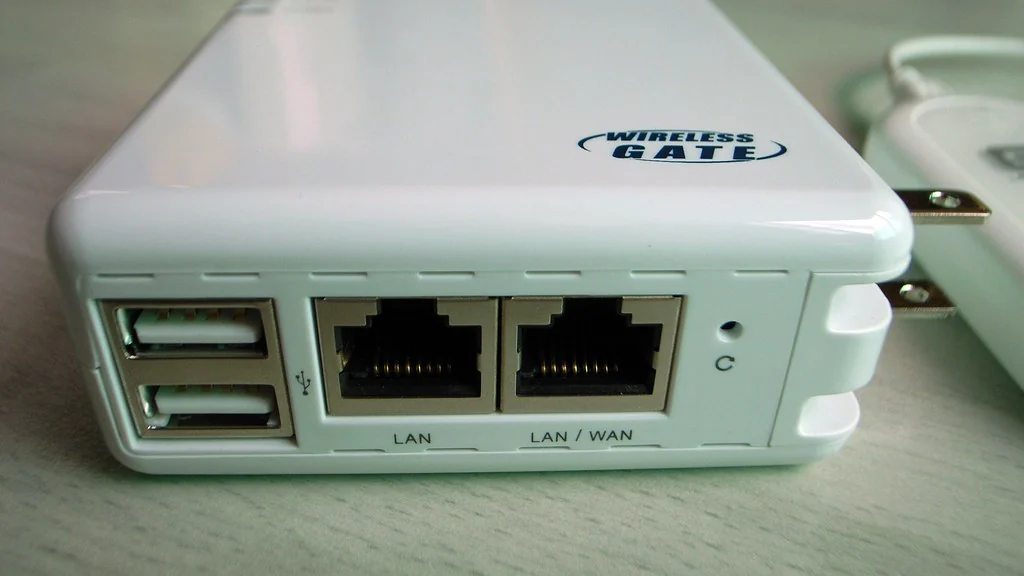
You can build a smart home without a hub by choosing devices that connect over Wi-Fi or Bluetooth and controlling them from the Alexa, Google Home or Apple Home app. Smart plugs, bulbs, cameras, speakers and most thermostats work this way, so the only box you need is your router.
This guide shows which devices work on their own, which ones still need a hub, and the point at which adding one makes sense.
Table of Contents
What does a smart home hub actually do?
A hub is a small box that translates between your home network and devices that do not use Wi-Fi, mainly Zigbee, Z-Wave and Thread devices. It also lets automations run inside your home when the internet is down.
Wi-Fi devices skip the translator and talk to your router directly. That is why a first setup rarely needs a hub.
How do you set up a smart home without a hub?
Pick one ecosystem, buy Wi-Fi devices that support it, and add them in the app. These six steps cover a typical first setup.
- Choose one app. Alexa, Google Home or Apple Home, matched to your phone.
- Check your Wi-Fi. Most low-cost devices need the 2.4 GHz band.
- Start with smart plugs. They need no hub and work with any lamp or fan.
- Add Wi-Fi smart bulbs. Look for “no hub required” on the box.
- Prefer the Matter logo. Matter devices are designed to work across ecosystems.
- Build routines in the app. Schedules and voice commands need no extra hardware.
A full shopping order is in our guide to a smart home on a budget.
Which devices work without a hub?
Most beginner devices work without a hub. Battery sensors and some locks are the main exceptions.

| Device | Hub needed | Notes |
|---|---|---|
| Smart plugs | No | Wi-Fi models are the norm |
| Smart bulbs | Usually no | Some brands sell hub-based bulbs too |
| Smart speakers and displays | No | Some can act as a hub for other devices |
| Wi-Fi cameras and doorbells | No | Some brands use a base station for storage |
| Smart thermostats | No | Connect over Wi-Fi |
| Door, window and motion sensors | Often yes | Many use Zigbee, Z-Wave or Thread to save battery |
| Smart locks | Sometimes | Bluetooth-only locks may need a bridge for remote access |
What are the limits of a smart home without a hub?
The limits are Wi-Fi congestion, reliance on the internet and fewer battery-powered sensors. None matters with a handful of devices, and all grow as you add more.
- Every Wi-Fi device takes a place on your router, and cheap routers struggle with dozens.
- Many Wi-Fi devices stop responding to voice and app control when the internet is down.
- Battery sensors on Wi-Fi are rare, because Wi-Fi drains batteries quickly.
- Each brand may need its own app for setup.
When is a hub worth buying?
A hub is worth it when you want several battery sensors, more than about twenty devices, or automations that keep running without the internet. Until then it is money spent on a problem you do not have.

You may already own one. Some smart speakers, displays and streaming boxes include a Zigbee radio or a Thread border router, so check the specifications of what you have before buying anything.
How does Matter change the hub question?
Matter lets one device work with Alexa, Google Home, Apple Home and SmartThings, so you no longer need a hub just to bridge brands. Matter devices on Wi-Fi need no hub at all, while Matter devices on Thread need a Thread border router.
For renters, a hub-free setup is also the easiest to pack and move. See our smart home ideas for renters.
Related guides
- Smart Home Devices That Save Money: 6 Best Options
- Smart Home Devices for Elderly Living Alone: 7 Simple Aids
Frequently asked questions
Can I have a smart home without a hub?
Yes. Wi-Fi smart plugs, bulbs, cameras, speakers and thermostats all connect straight to your router and are controlled from a phone app or by voice.
Do smart bulbs need a hub?
Most Wi-Fi and Bluetooth smart bulbs do not. Some brands sell bulbs that work best with their own hub, so check for “no hub required” on the box.
Is Alexa a smart home hub?
The Alexa app controls Wi-Fi devices without any hub. Some Echo models also include a built-in hub radio for Zigbee, Thread or Matter devices, depending on the model.
Does a smart home without a hub work when the internet is down?
Usually not fully. Many Wi-Fi devices need the internet for app and voice control, though schedules saved on the device may still run.
How many devices can I run without a hub?
A typical home router handles a few dozen devices. If devices start dropping offline, upgrade the router or move sensors to a hub-based system.
Do I need a hub for Matter devices?
Not for Matter devices that use Wi-Fi. Matter devices that use Thread need a Thread border router, which many recent speakers and streaming boxes include.
About the author: Hamza Javaid is a web developer and the editor of InnovateTechie. Read our editorial policy.
Last updated: October 2026. Prices, plans and app menus change often, so confirm details on the manufacturer’s page before you buy.
